Select Change Shift
When wanting to change the work shift of employees in the company can be changed with the following steps.
1. Double click from the left menu <Working Record> then double click the menu <Select Change Shift>.
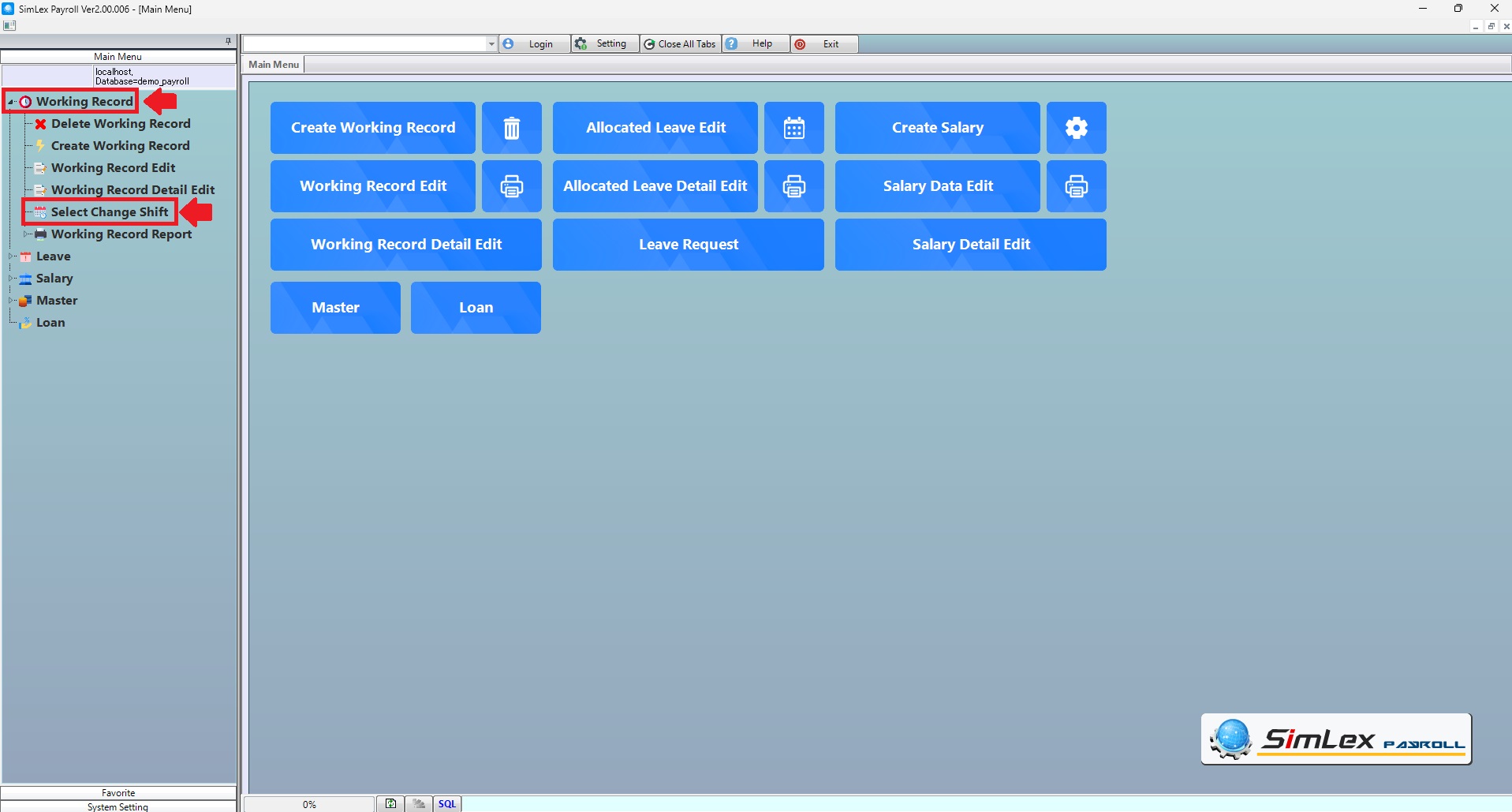
Picture 1 click menu select change shift.
2. The system shows additional details. Select the employee whose shift you want to change by checking the box. When finished, click <Change Shift>.
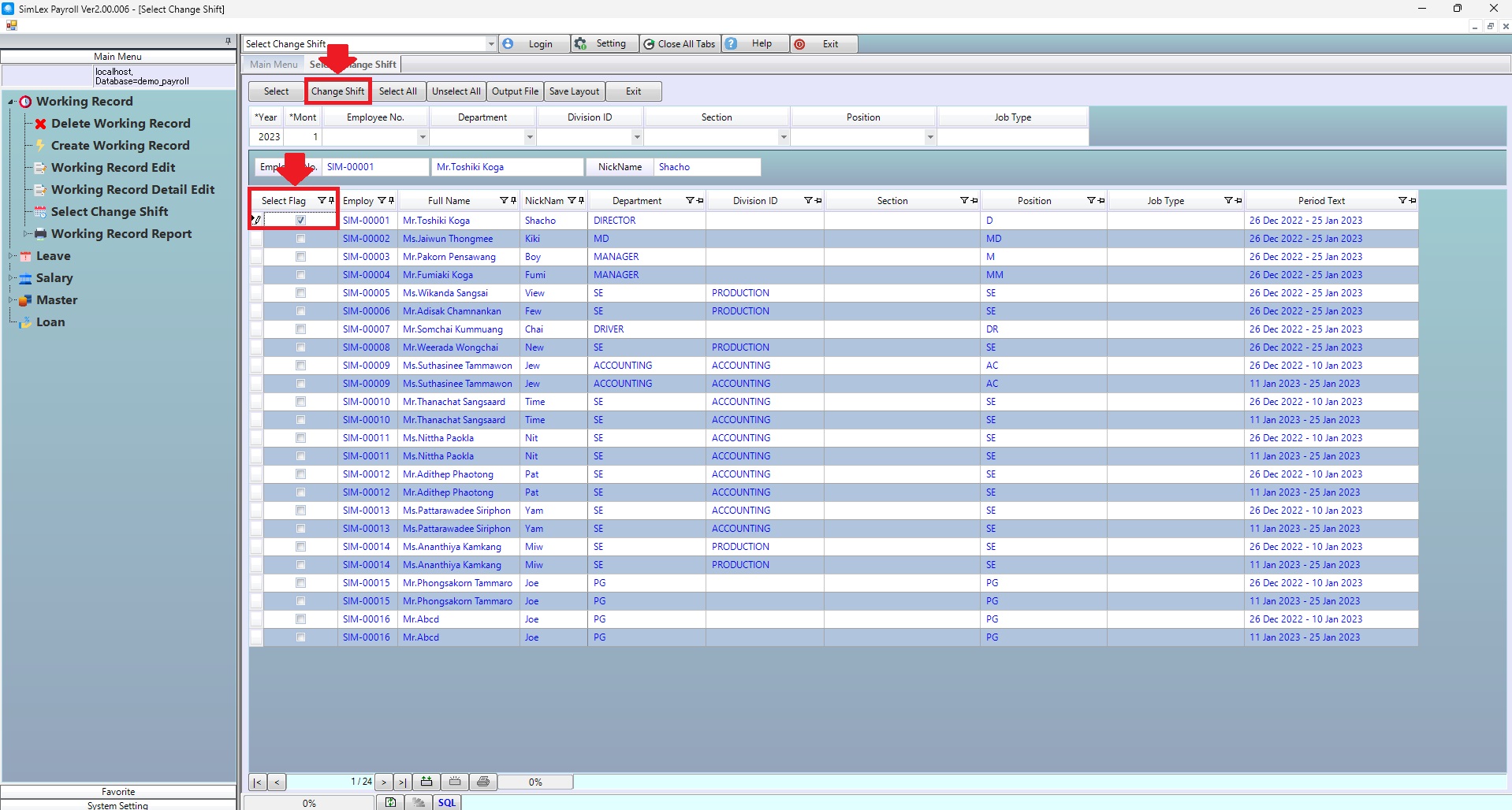
Picture 2 The system displays the information window.
3. The system displays an information window. Fill in the information correctly. When finished, click <Execute>.
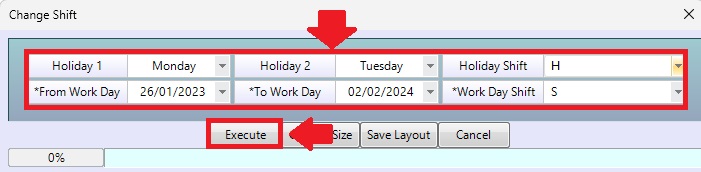
Picture 3 Window display of imported information.
| Field name Main menu | Information detail |
| Year | The system displays the year the last work record was created. |
| Mount | The system displays the mount the last work record was created. |
| Employee No. | Select employee No. |
| Department | Select department. |
| Division ID | Select division id. |
| Section | Select section. |
| Position | Select position. |
| Job Type | Enter job type. |
| Field name input data | Information input detail |
| Holiday 1 | Select holiday. |
| Holiday 2 | Select holiday. |
| Holiday Shift | Select holiday shift. |
| From Work Day | Select shift from date. |
| To Work Day | Select shift to date. |
| Work Day Shift | Select shift work day. |