Leave Period Summary Report
When you want to see details or print a report About the annual leave summary of employees in the company You can choose to view the report as follows.
1. Double click from the left menu<Leave>, then double click on the menu <Leave Report>. The system will display 2 submenus, then click <Leave Period Summary Report>.
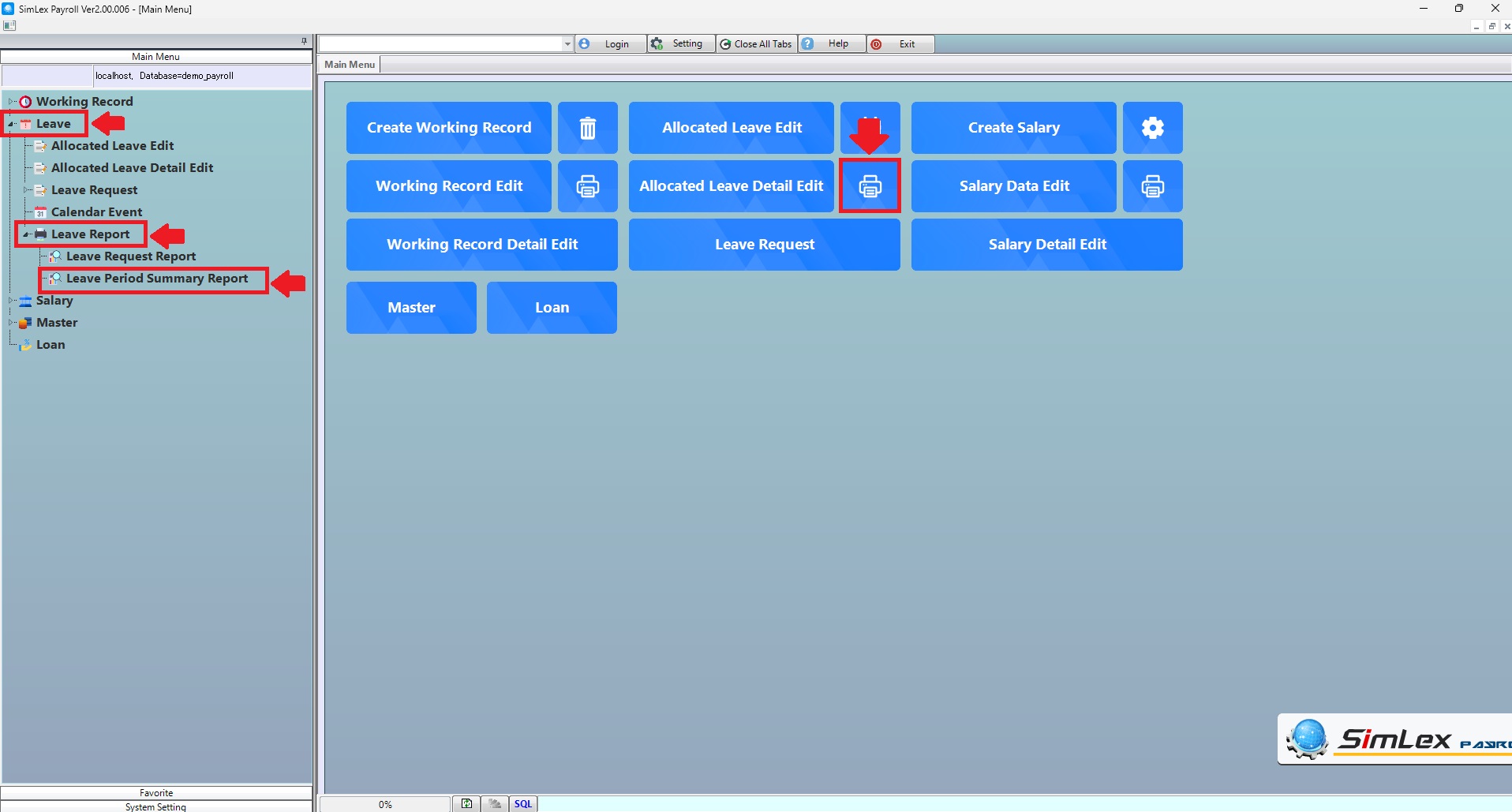
Picture 1 Click Menu Leave Period Summary Report.
2. Fill in the information you want to search. Then click <Data Display> for display information or click <Output Data(O)> to print a report of leave period summary documents.
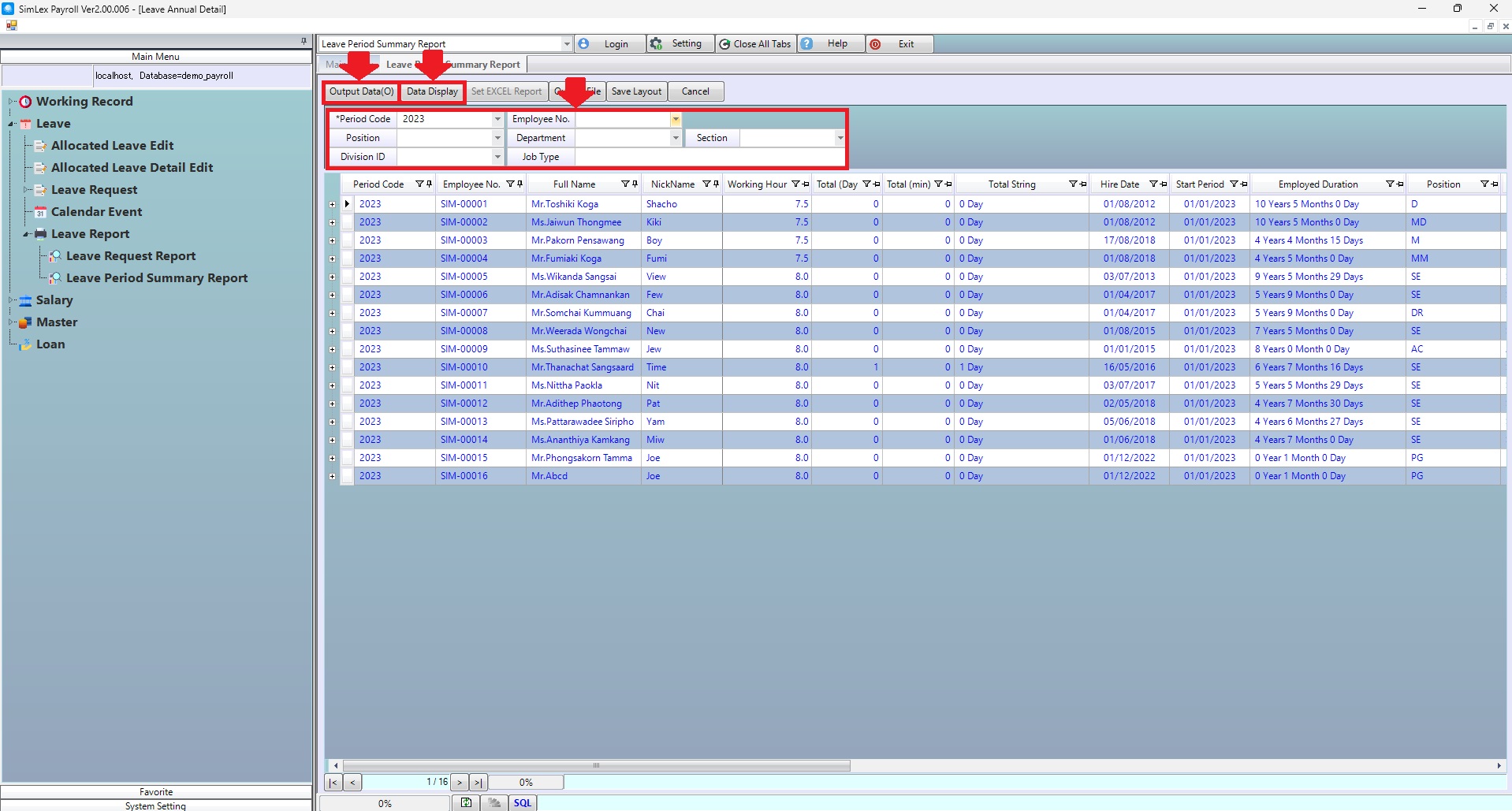
Picture 2 The system displays the information.
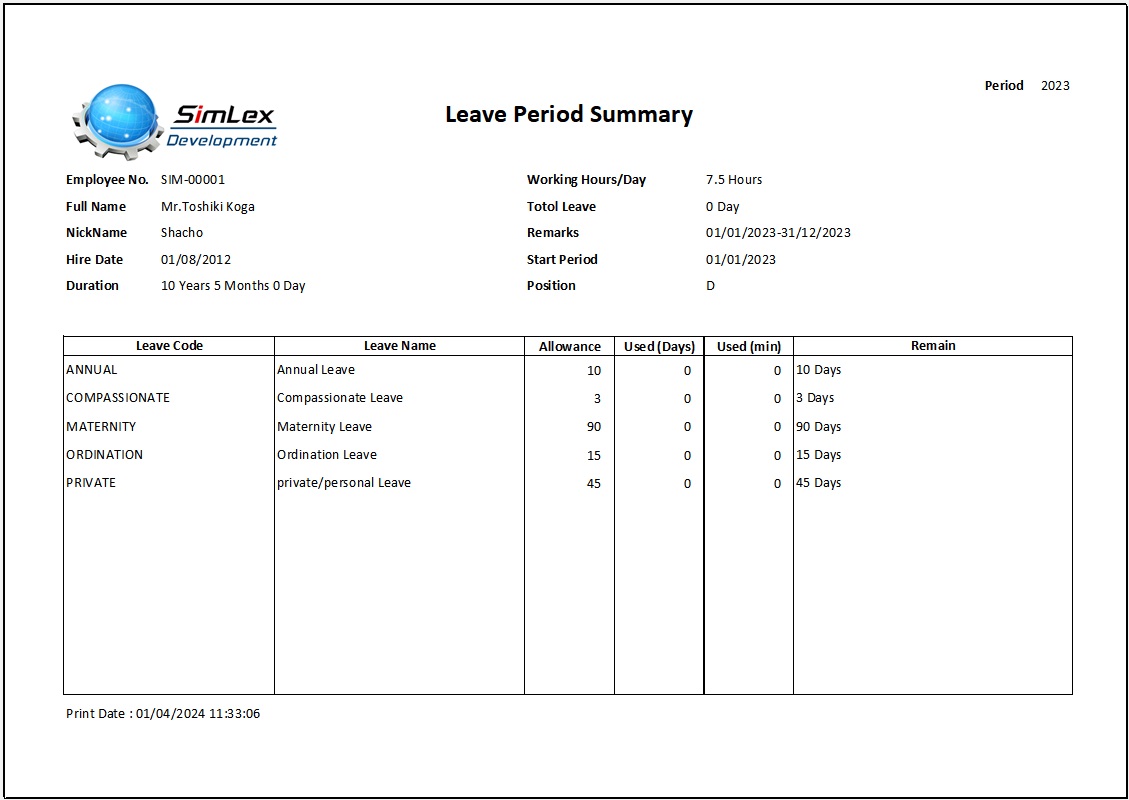
Picture 3 Form Leave Period Summary Report.
| Field name Main menu | Information detail |
| Period Code | Select period code. |
| Employee No. | Select employee no. |
| Position | Select position. |
| Department | Select department. |
| Section | Select section. |
| Division ID | Select division id. |
| Job Type | Enter job type. |