Form PND.1
When you want to see details or print a form PND.1 to submit to the Revenue Department in paper form, You can choose to view reports as follows.
1. Click <Icon Printer> from the main menu or double click from the left menu <Salary>, then double click on the menu<Salary Report>. The system will display 7 submenus, then click <PND.1>.
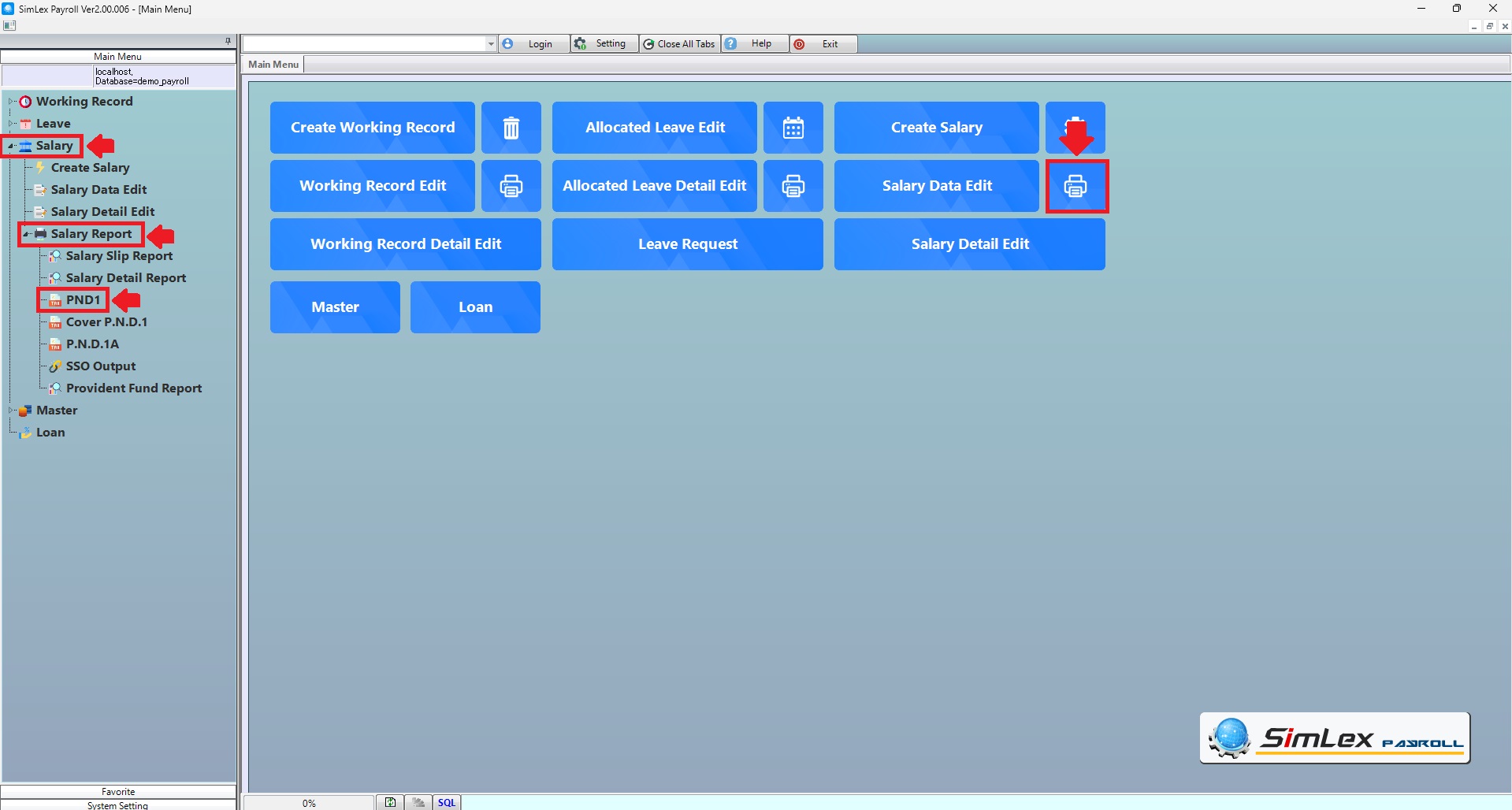
Picture 1 Click Menu PND.1.
2. Fill in the information you want to search. Then click <Data Display> to display information or click <Output Data(O)> to print form PND.1.
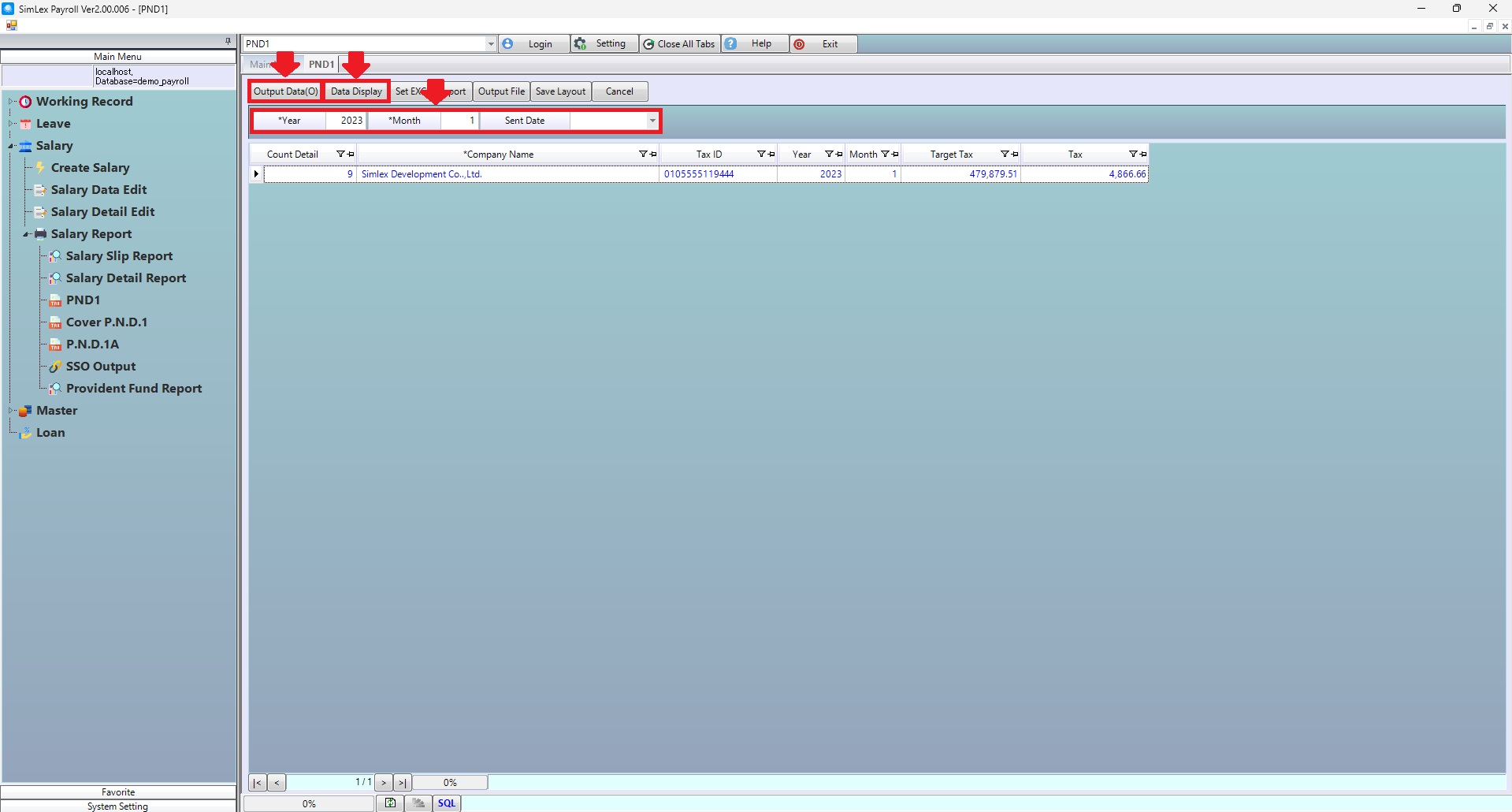
Picture 2 Print form PND.1.
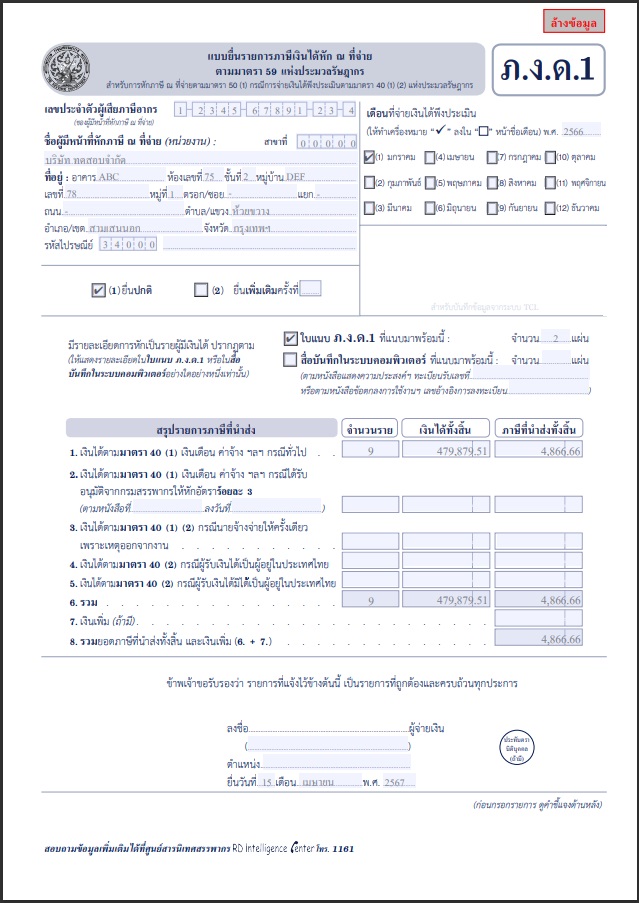
Picture 3 Form PND.1.
| Field name main menu | Information detail |
| Year | The system auto displays the information. |
| Month | The system auto displays the information. |
| Sent Date | Select sent date for PND.1 |