Delete Working Record
When recording in correct, you can delete the recorded data by following steps:
1. Click icon trash from the main menu or double click <Working Record> from the left menu, then double-click menu <Delete Working Record>
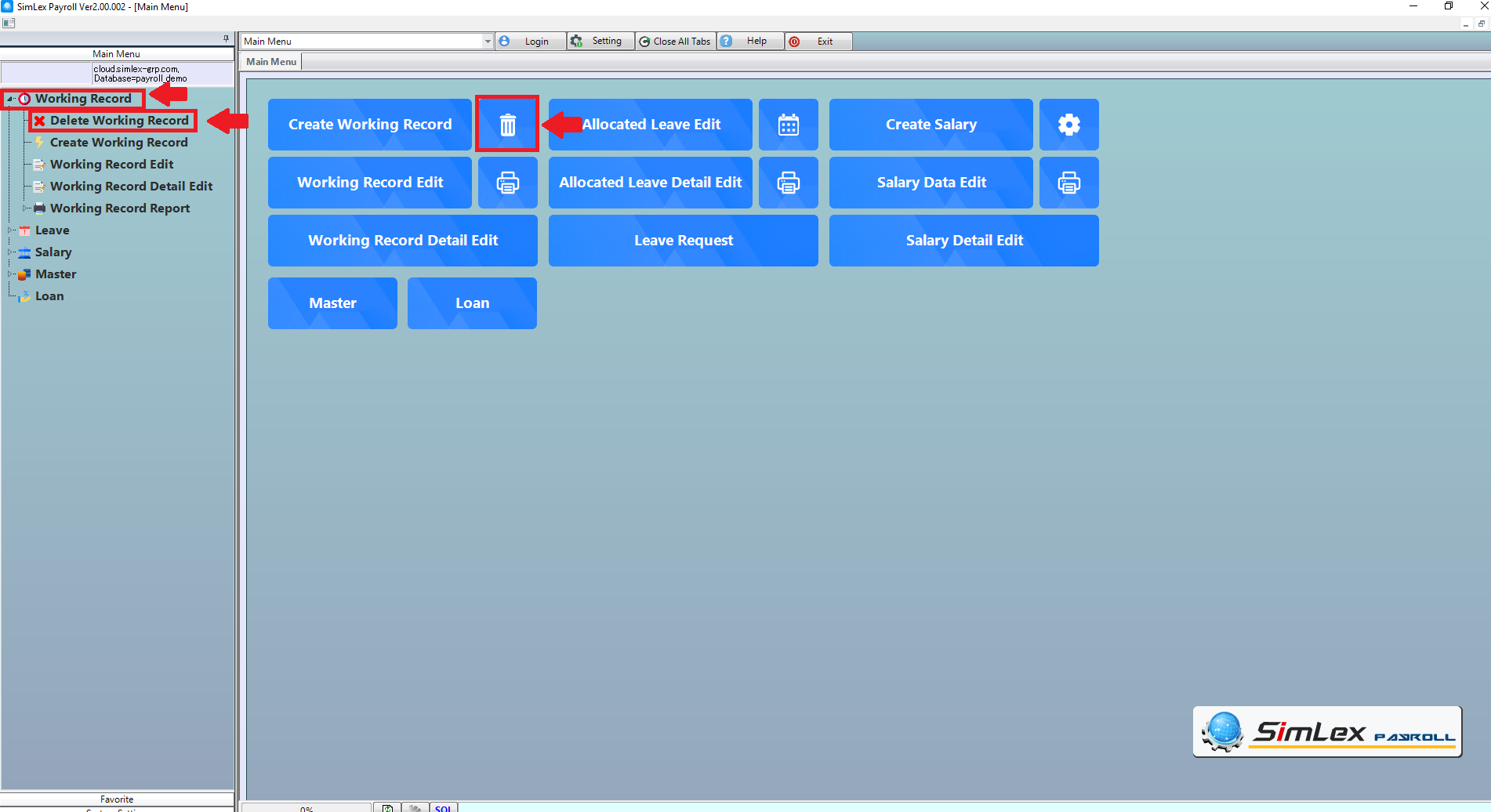
Picture 1 Click Menu Delete Working Record.
2. The system will display the information window, and then click checkbox.
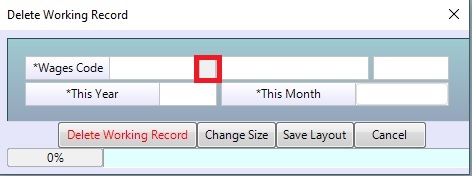
Picture 2 Information window display system.
3. Choose the wages information, click button OK.
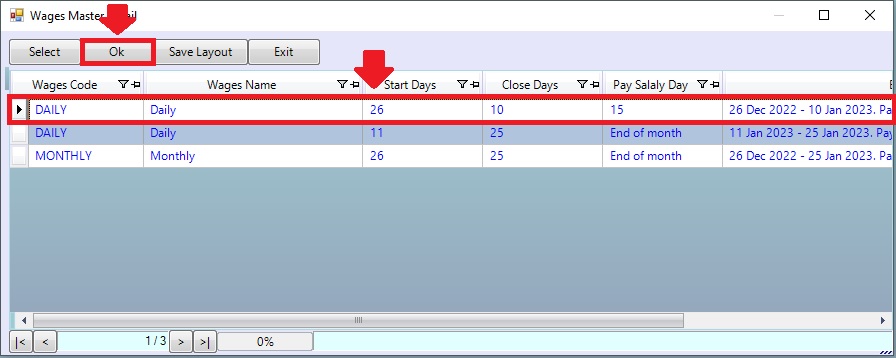
Picture 3 Select wages type.
4. The system will display the selected information. Click button <Delete Working Record>
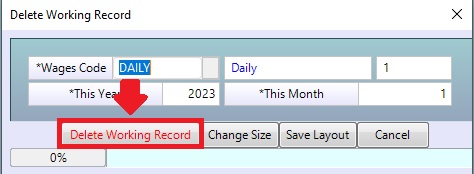
Picture 4 Data display system
| Field name main menu | Information details |
| Pay type code | Select pay type code |
| This year. | The system displays the year when the last operation was recorded. |
| This month. | The system displays the month that was last recorded. |
| Delete Working Record | Click to Delete Working Record |