Company Branch Master
To create company branch master data you can create it with the following steps.
1. Click <Master> from the main menu or double click from the left menu <Master> and then double click on the menu <Company Branch Master>.
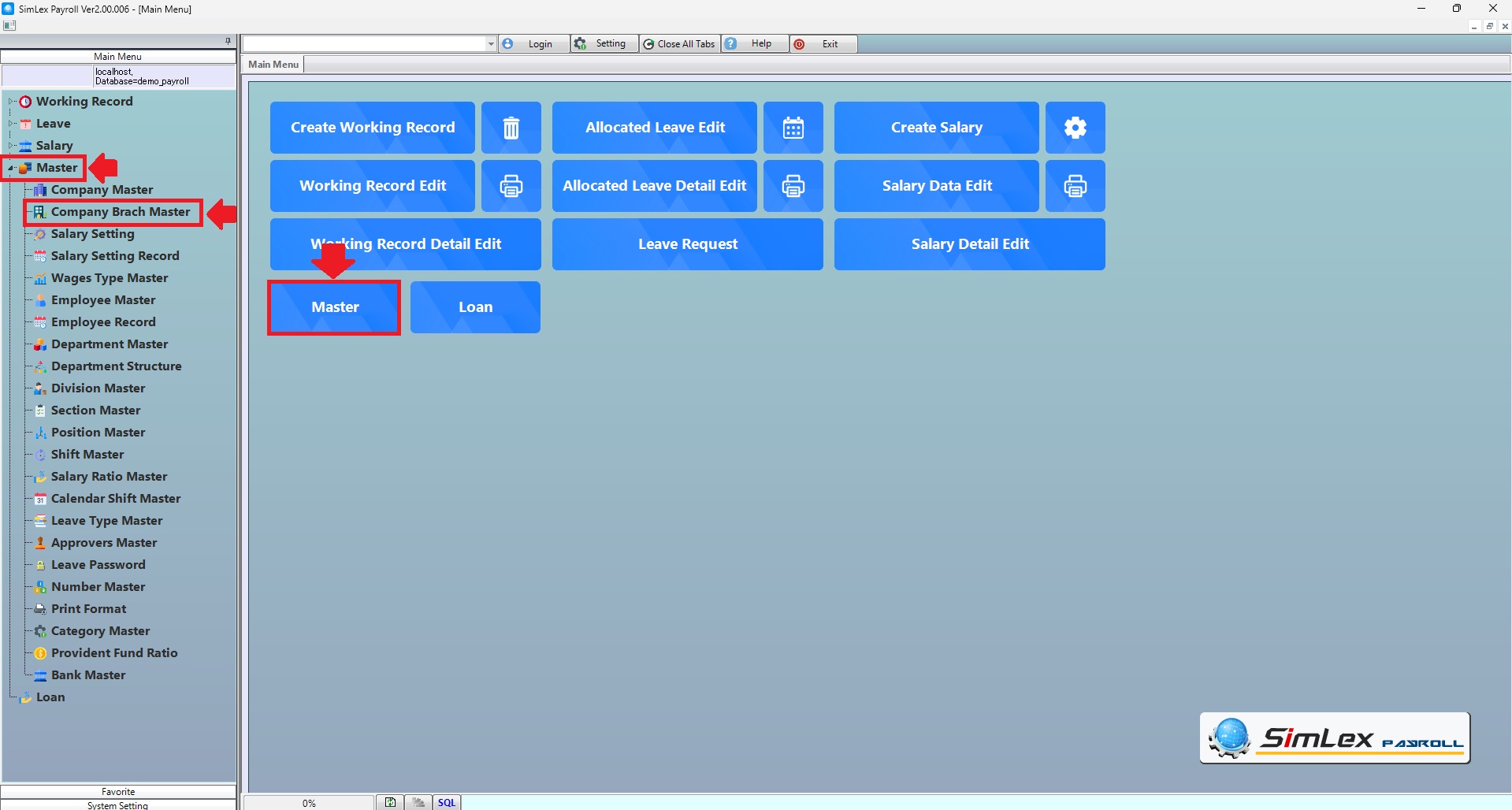
Picture 1 Click menu Company Branch Master.
2. The system will display an information window. Click then <New> you can enter new data>then click <Add> then finished click <Register>.
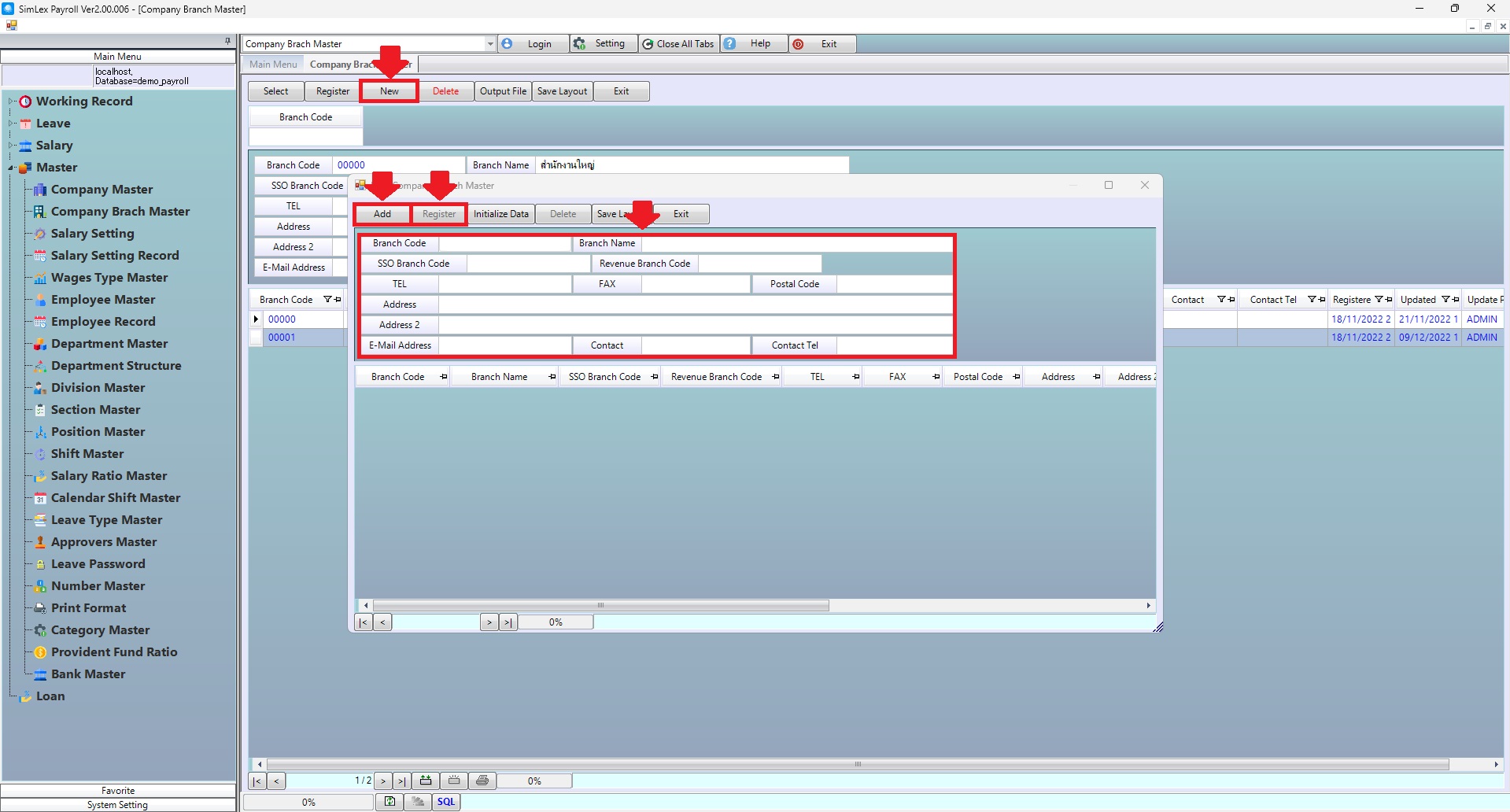
Picture 2 The system displays the information.
| Field name Main menu | Search for details of information |
| Branch Code | Enter branch code. |
| Field name input data | Information input detail |
| Branch Code | Enter branch code. |
| Branch Name | Enter branch name. |
| SSO Branch Code | Enter SSO branch code. |
| Revenue Branch Code | Enter revenue branch code. |
| TEL | Enter telephone number. |
| FAX | Enter fax number. |
| Postal Code | Enter postal code. |
| Address | Enter address. |
| Address 2 | Enter address 2. (Eng.). |
| E-Mail Address | Enter e-mail address. |
| Contact | Enter contact. |
| Contact Tel | Enter contact telephone number. |