Wages Type Master
To create wages type master data, you can create it with the following steps.
1. Click <Master> from the main menu or double click from the left menu <Master> and then double click on the menu <Wages Type Master>.
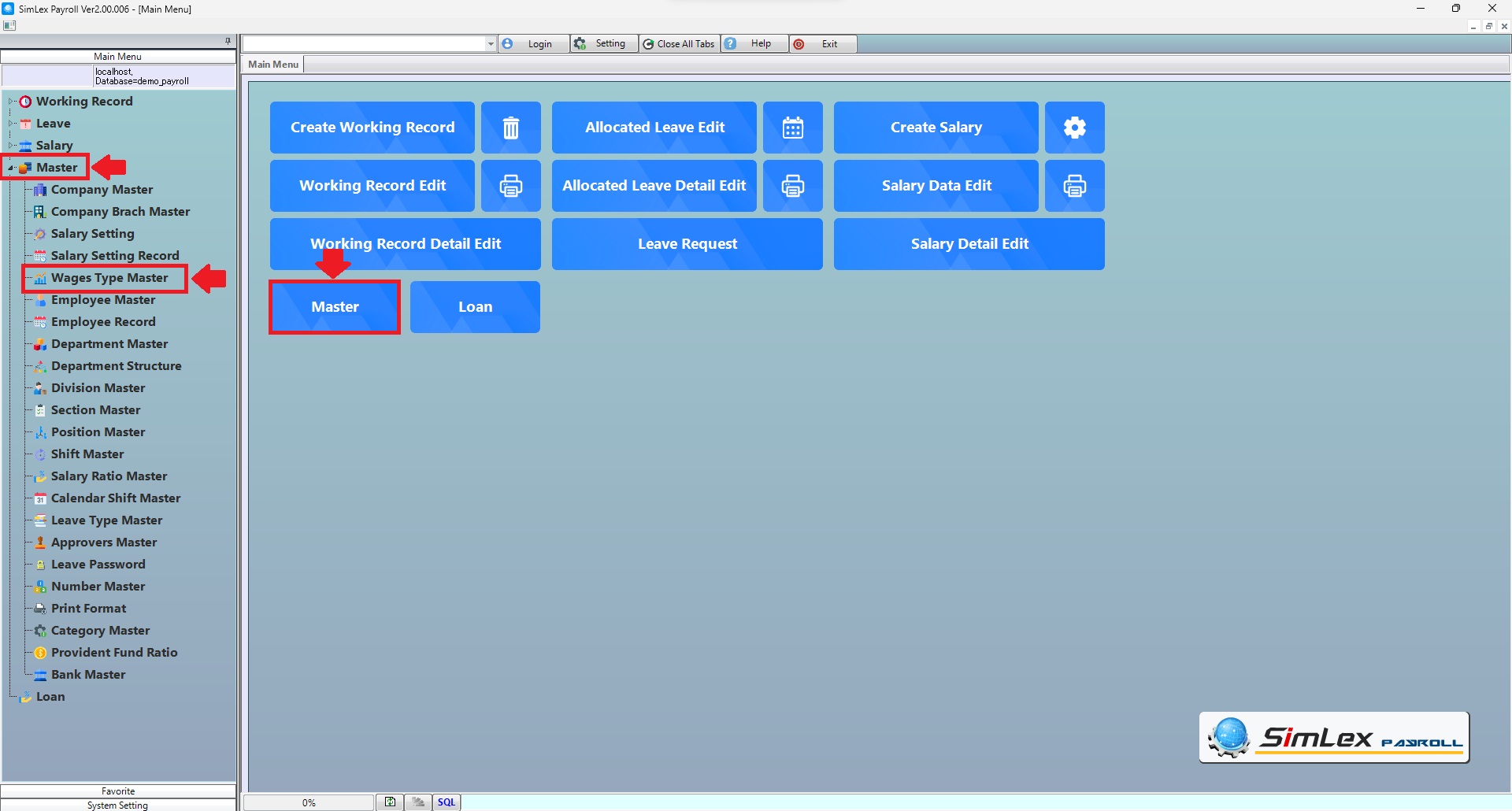
Picture 1 Click menu Wages Type Master.
2. The system will display an information window. Click then <New> you can enter new data then click <Add> then finished click <Register>.
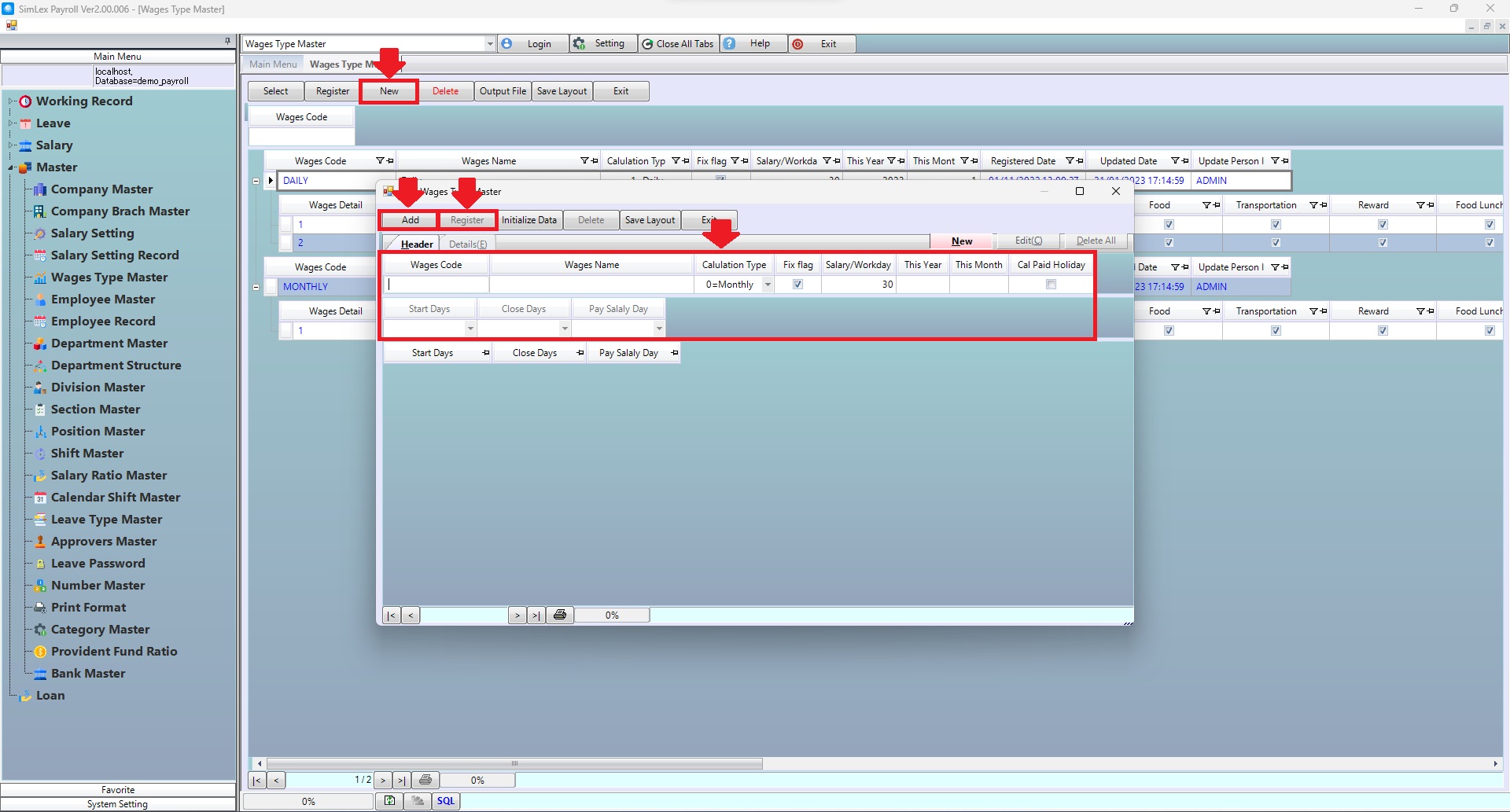
Picture 2 The system displays the information.
| Field name Main menu | Search for details of information |
| Wages Code | Enter wages code. |
| Field name input data | Information input detail |
| Wages Code | Set wages code. |
| Wages Name | Set wages name. |
| Calculation Type | Select calculation wages type 0=Monthly, 1=Daily. |
| Fix flag | System auto check box. |
| Salary/Workday | System auto display data. |
| This Year | Set start year. |
| This Month | Set start month. |
| Cal Paid Holiday | Check box for calculate paid holiday. |
| Start Days | Set start day salary. |
| Close Days | Set close day salary. |
| Pay Salary Day | Set pays salary day, incase end of month it will be scheduled to be paid at the end of each month. |