Announce
To create announcements to let employees know on the leave website, You can create it in the following ways.
1. Click from the left menu <Leave>, then click <Announce>.
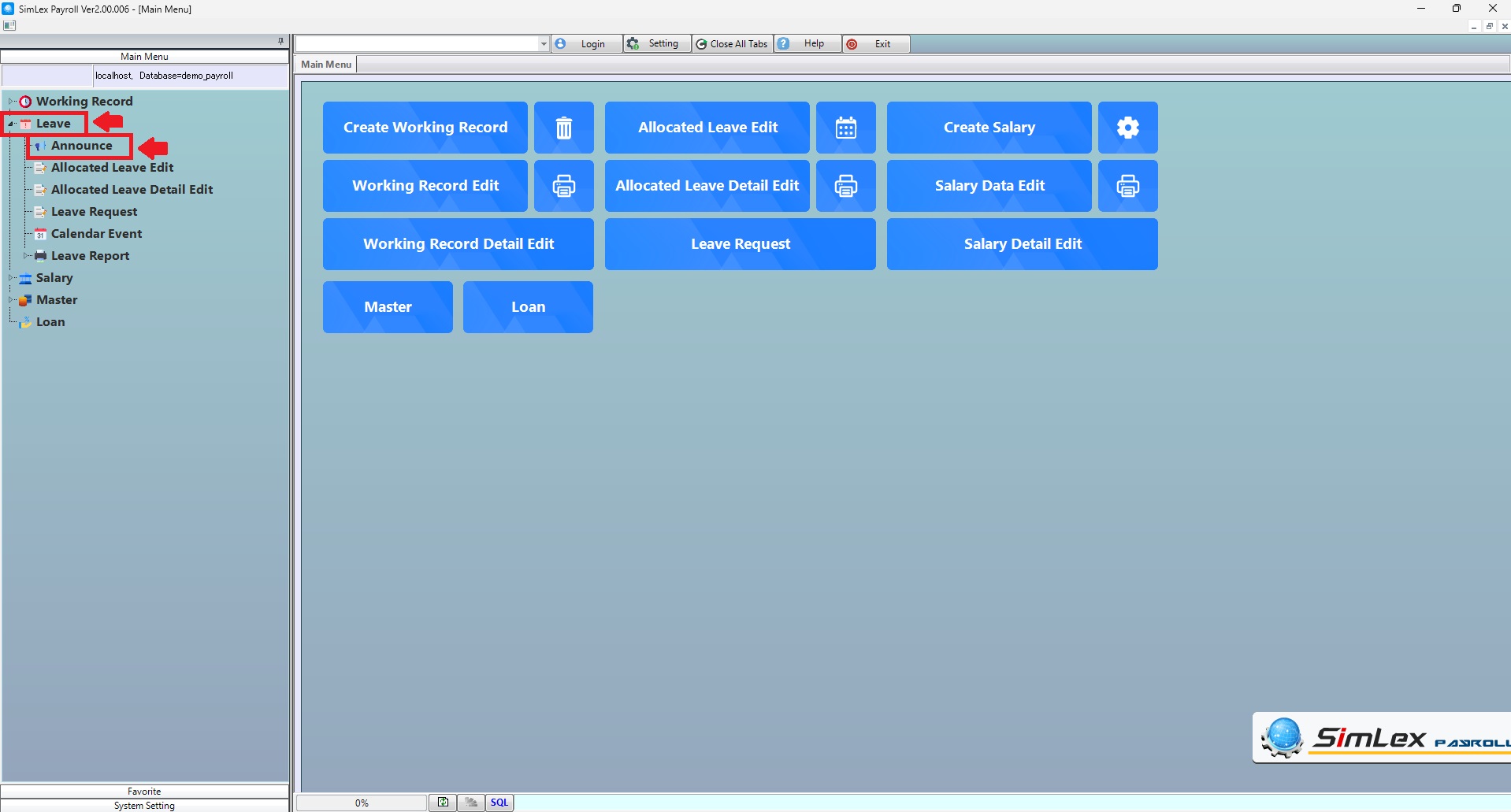
Picture 1 Menu announce.
2. The system displays information, then click <New> to create information.
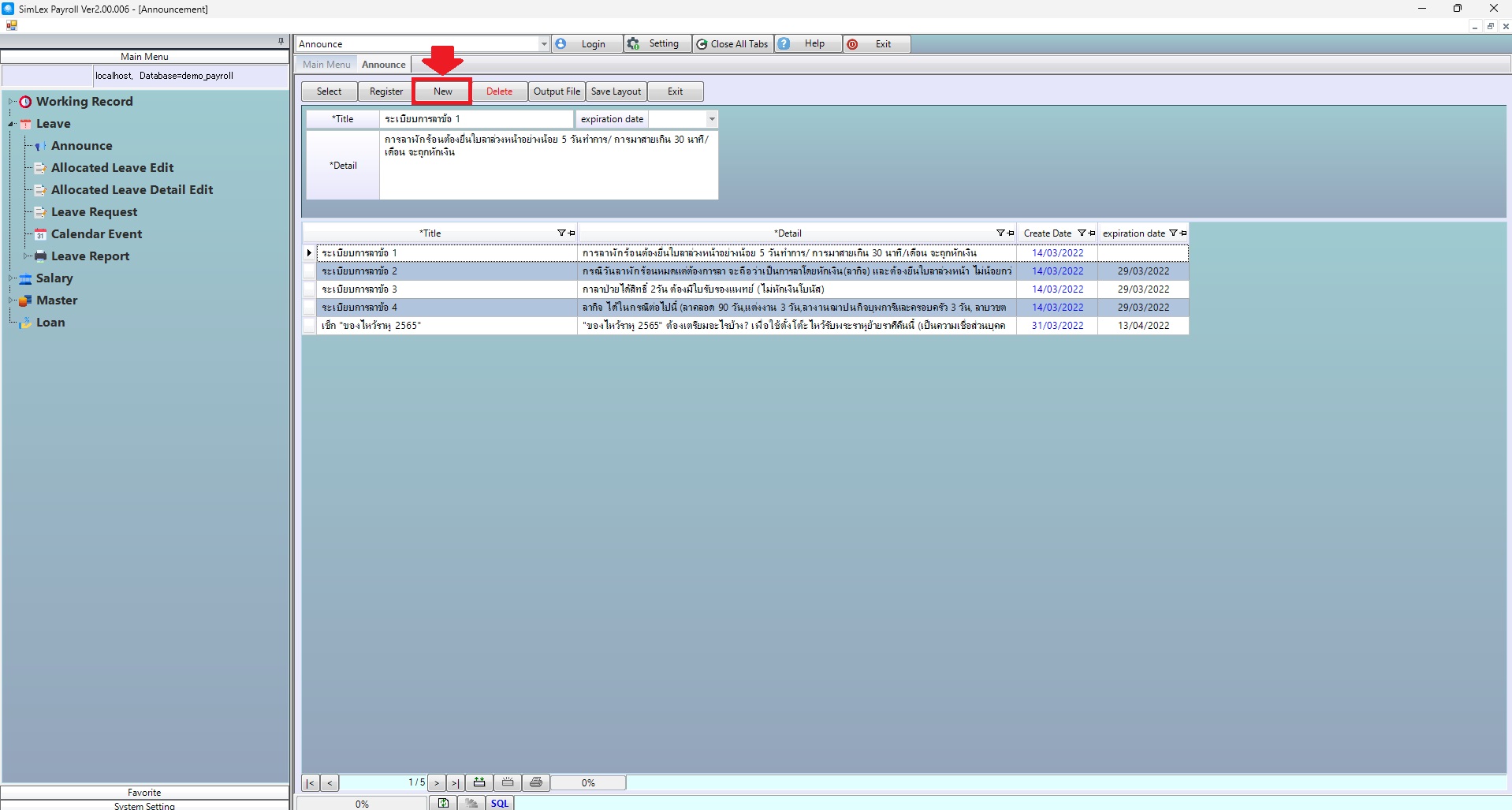
Picture 2 The system displays information.
The system displays an information window. Then fill in the information completely and click <Add>. When you have all the correct information, click <Register>.
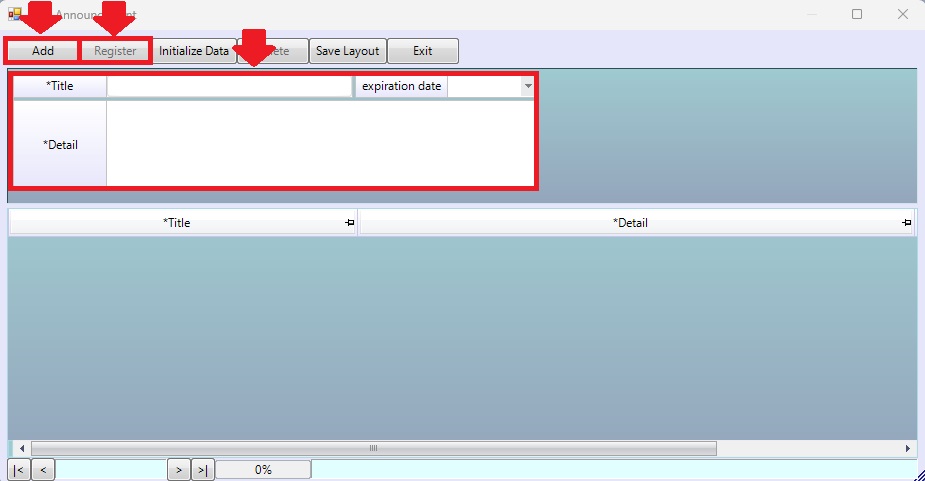
Picture 3 Create information.
| Field name Main menu | Information detail |
| Title | Select title. |
| Expiration Date | Select expiration date. |
| Detail | Select detail. |
| Field name input data | Information input detail |
| Title | Enter title. |
| Expiration Date | Select expiration date. |
| Detail | Enter detail. |