Create Salary
To create salary information in order for the system to calculate the salary and income of employees in the company, You can create it with the following steps.
1. Click <Create Salary> from the main menu or double click from the left menu <Salary> and then double click on the menu <Create Salary>.
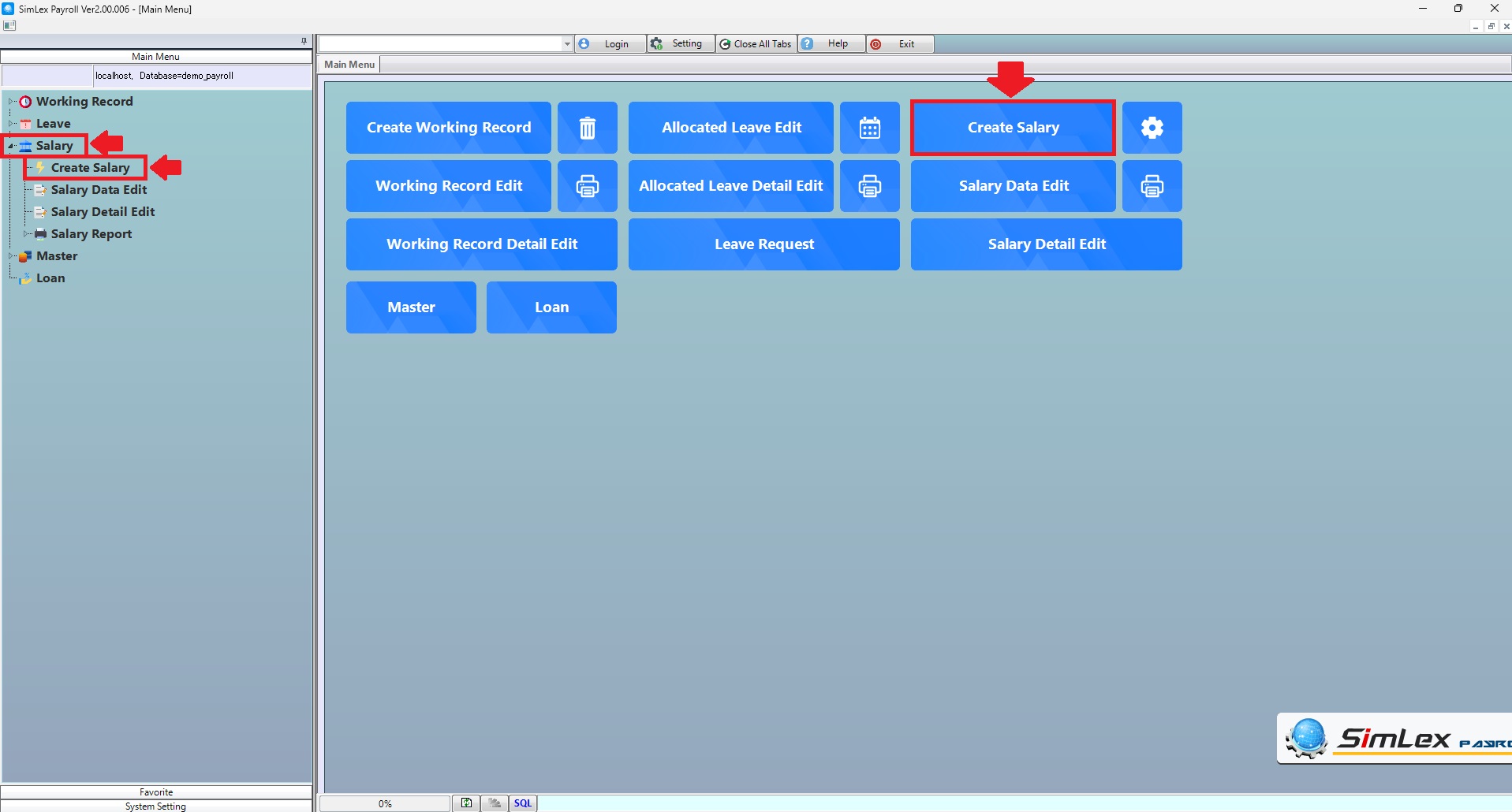
Picture 1 Click Menu Create Salary.
2. The system displays the information, then click <Square>.
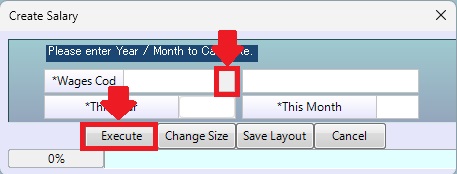
Picture 2 The system displays the information.
3. Select wages code, then click <OK>.
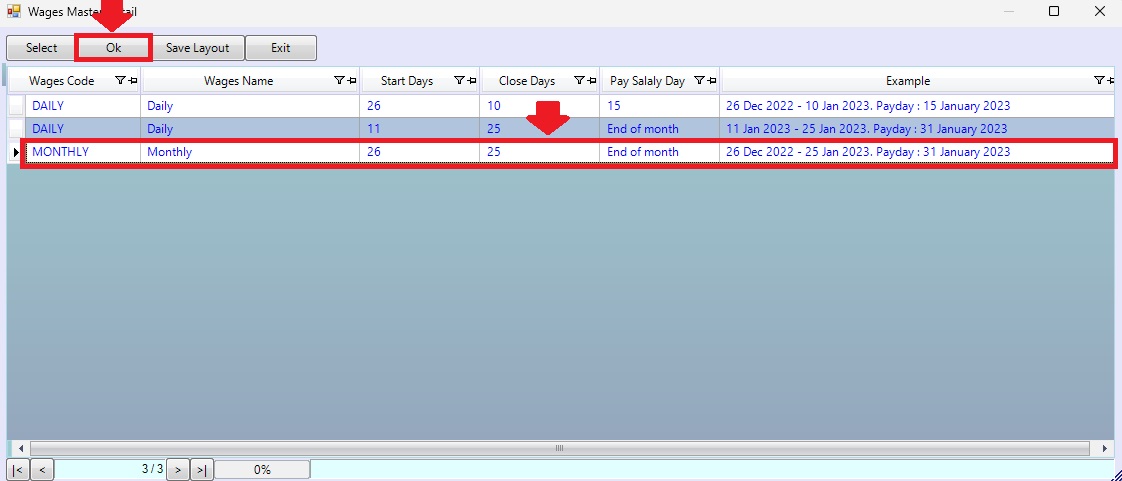
Picture 3 Select wages code.
4. The system displays information, then click <Execute>
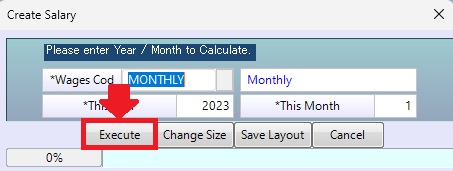
Picture 4 The system displays information.
| Field name input data | Information input detail |
| Wages Code | Select wages code. |
| This Year | The system auto displays information. |
| This Month | The system auto displays information. |
| Execute | Execute create salary. |