Approve/Reject Leave Request
When to approval/rejection of leave (Must be an authorized person to revoke approval/rejection only) This can be done with the following steps.
1. Click <Leave Request> from the main menu or double click from the left menu <Leave>, then <Leave Request> double click on the menu <Approve/Reject Leave Request>.
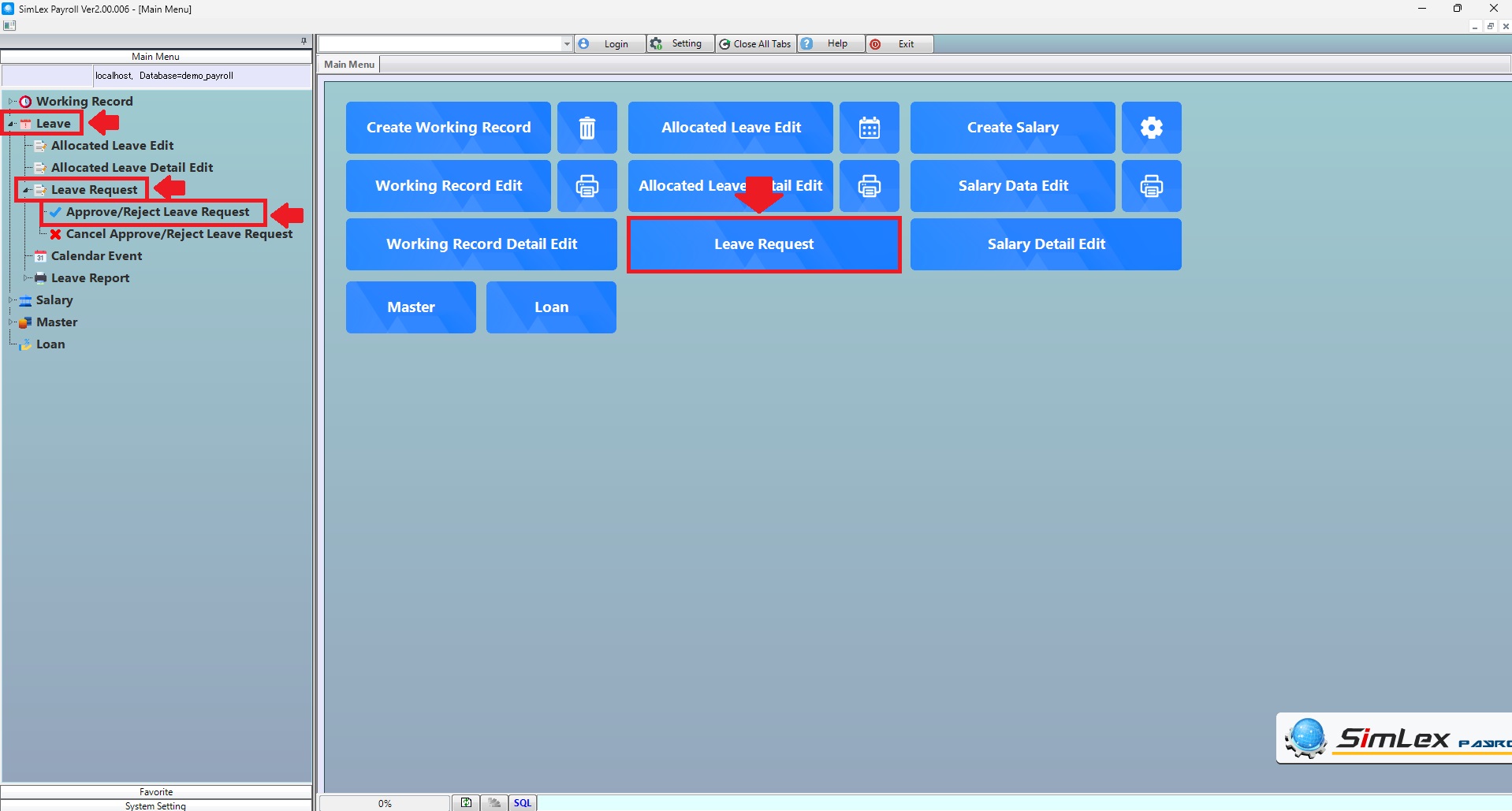
Picture 1 Menu Approve/Reject Leave Request.
The system displays information, then click<Approve>.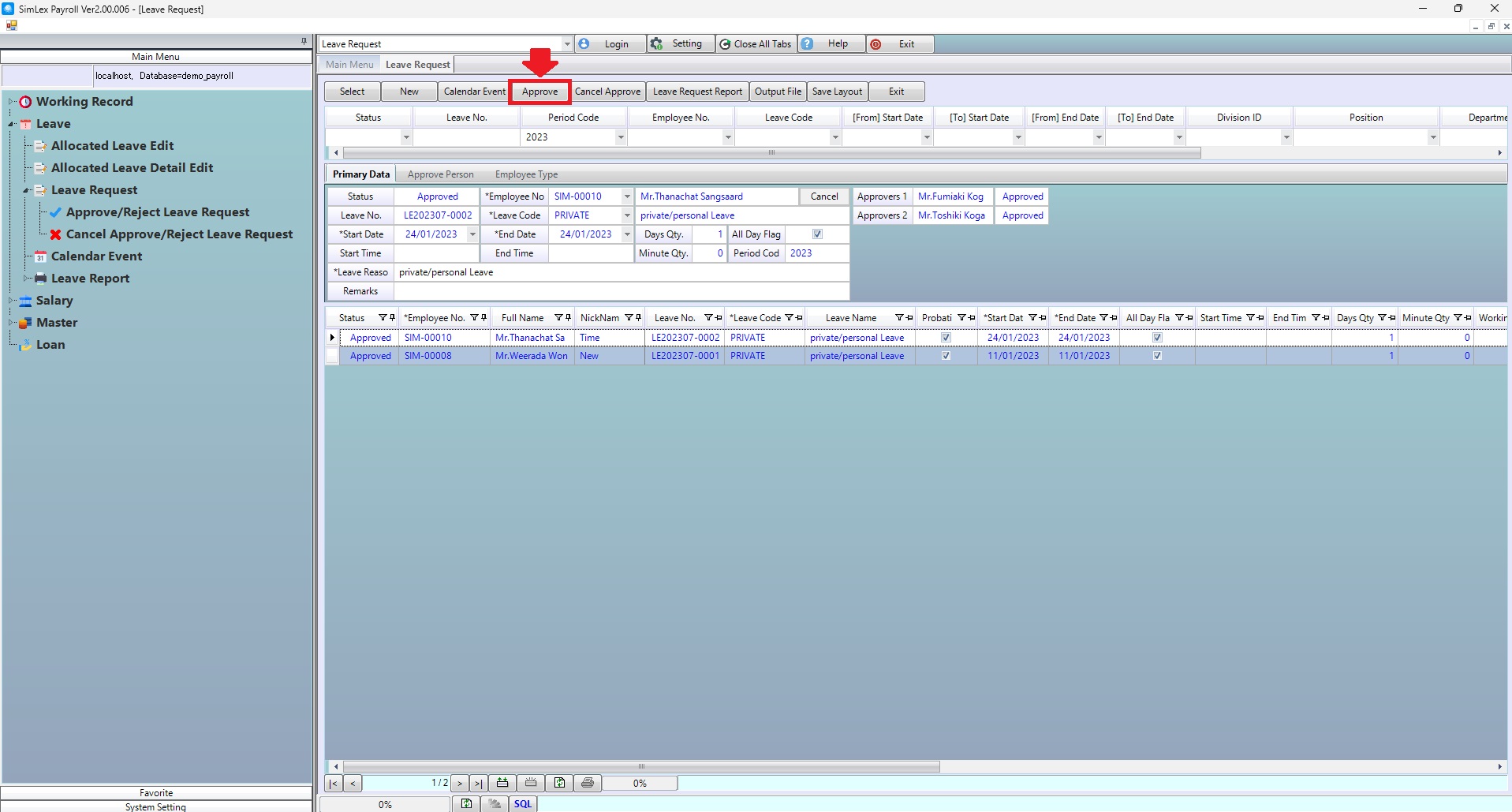
Picture 2 The system displays the information.
2. Check leave information Then check the box <Select flag>. When finished, click <Register>.
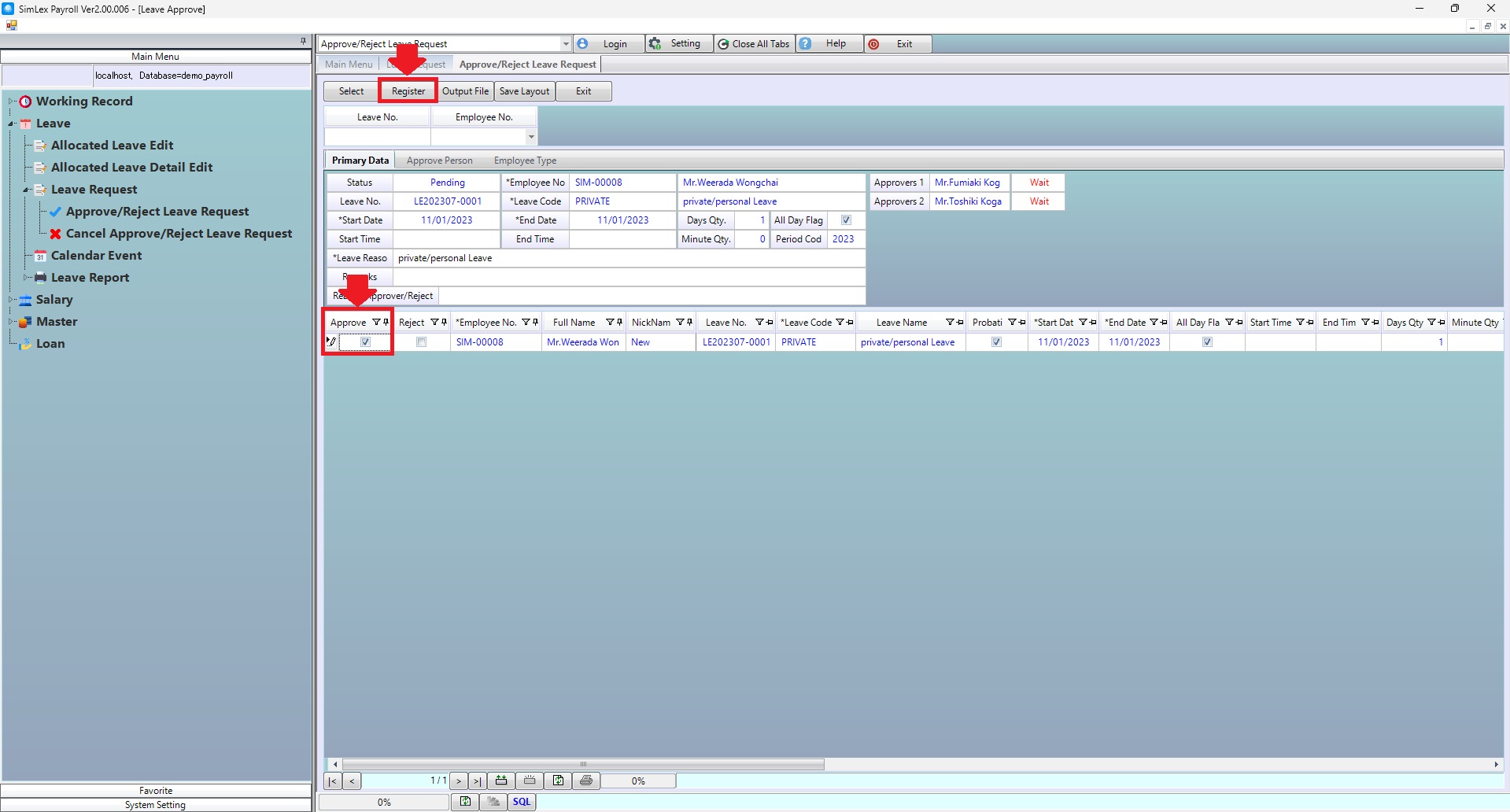
Picture 3 Approve/Reject Leave Request.
| Field name Main menu | Search for details of information |
| Leave No. | Enter leave no. |
| Employee No. | Select employee no. |