Loan
When you want to create information about various types of loans follow these steps.
1. Click <Loan> from the main menu or double click from the left menu <Loan>.
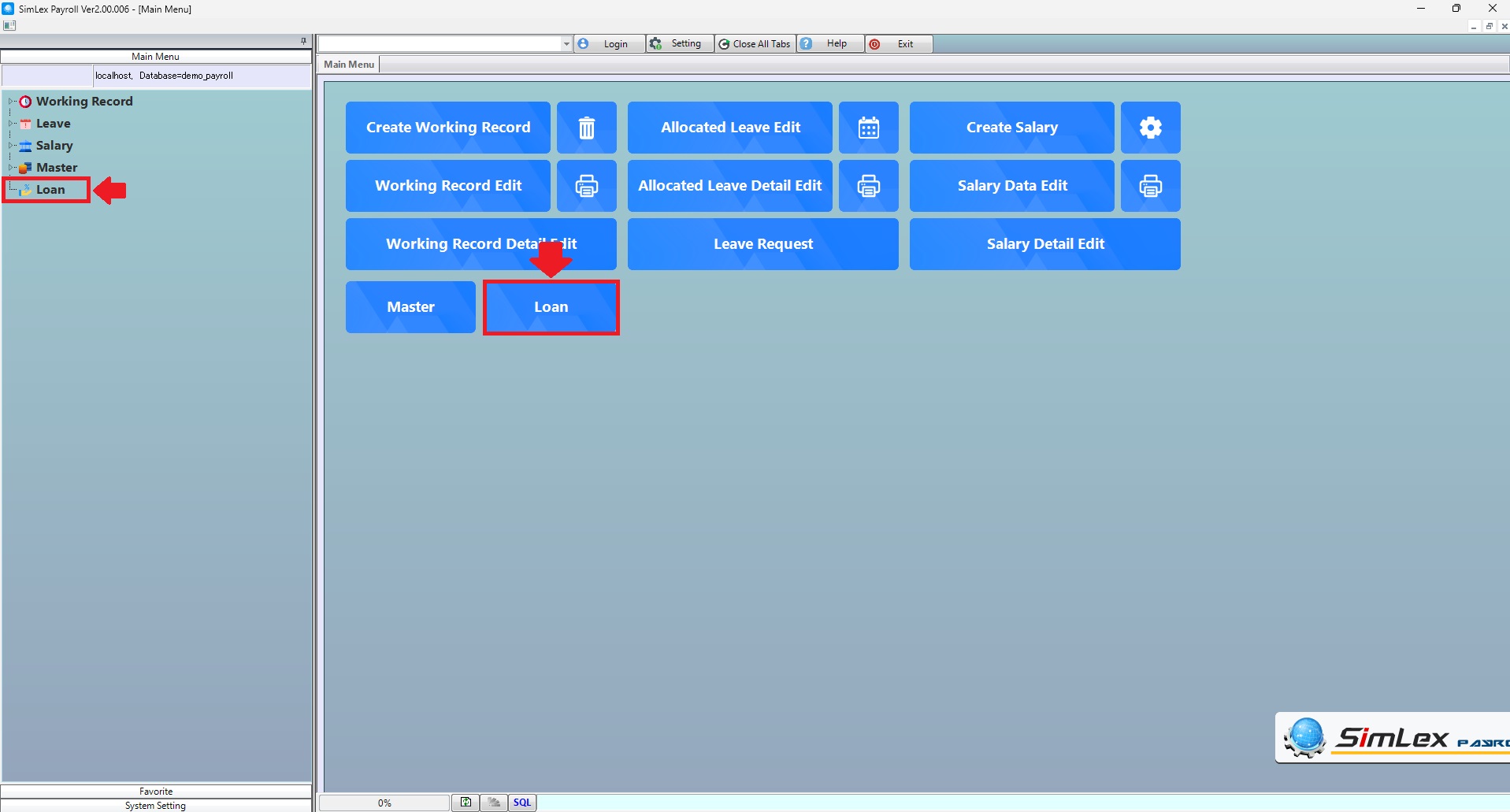
Picture 1 Click Menu Loan.
The system displays the information, then click <New>.
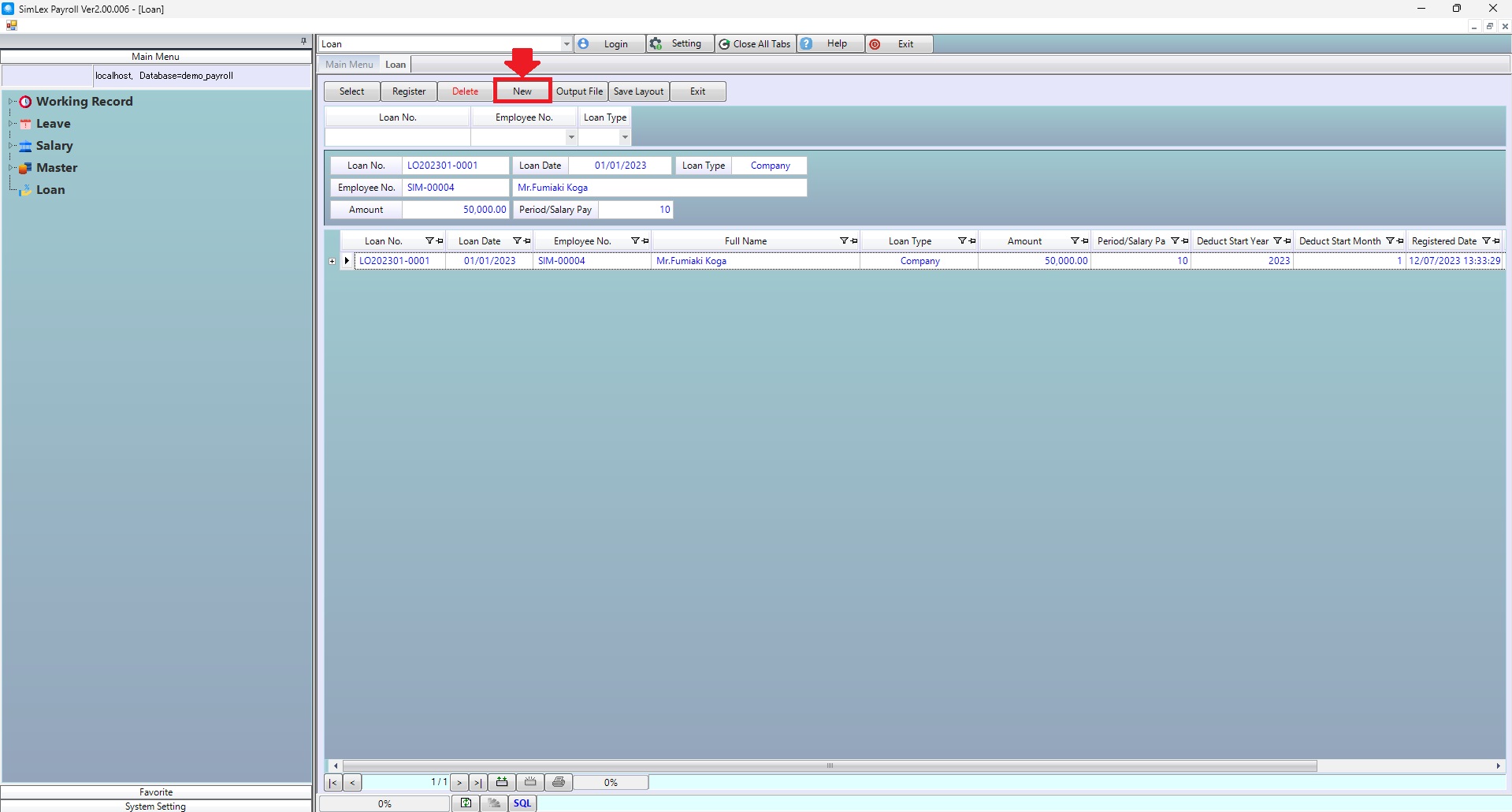
Picture 2 The system displays the information.
3. Fill in the information you want to create. Then click execute.
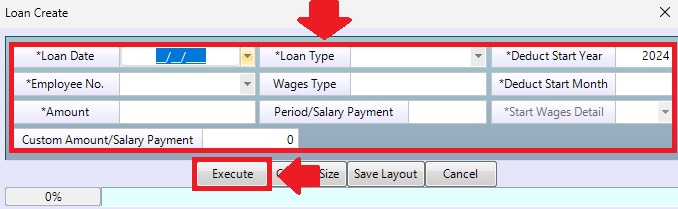
Picture 3 Execute data.
The system displays information on the main menu.
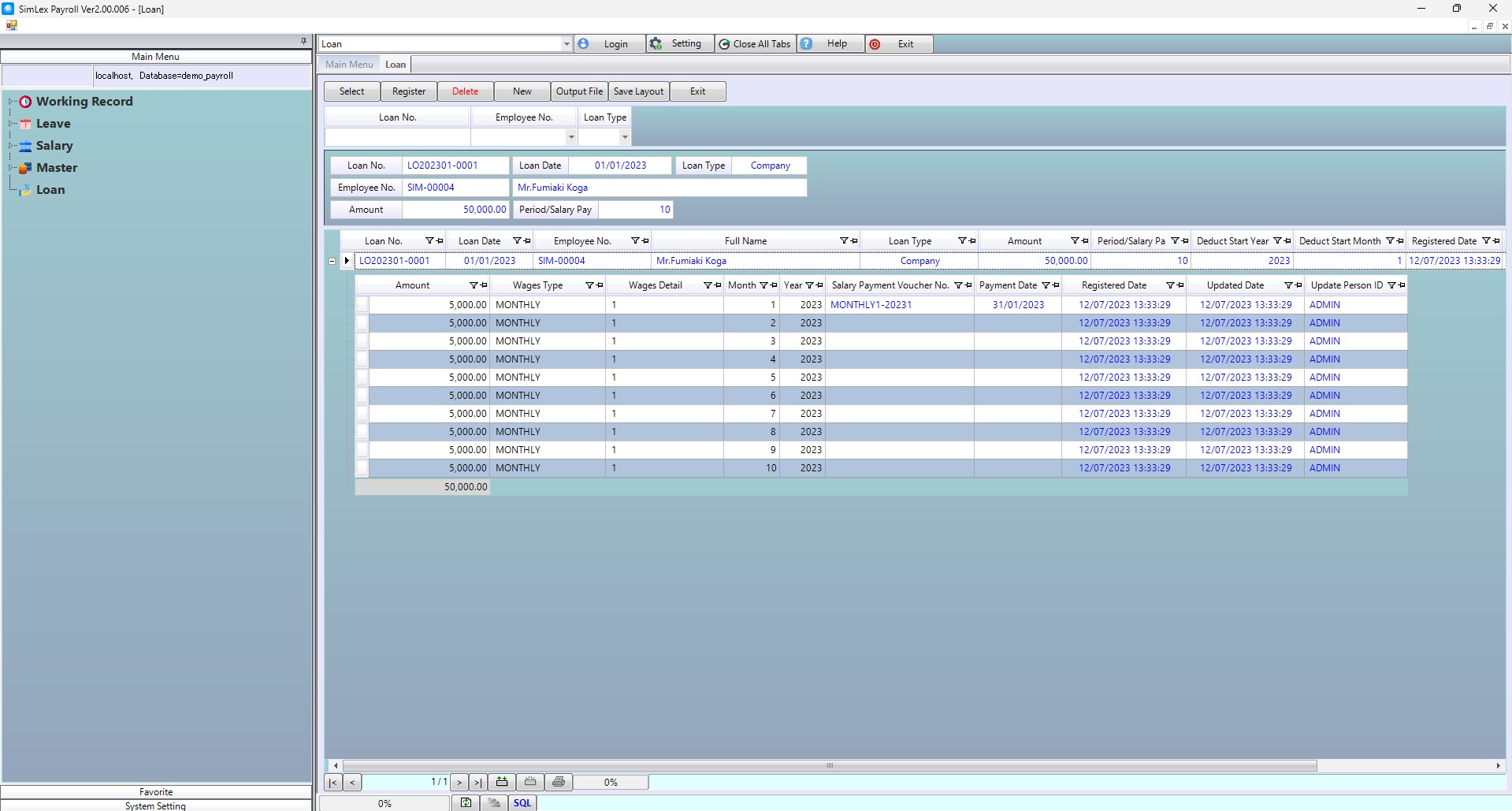
Picture 4 The system displays information on the main menu.
| Field name Main menu | Search for details of information |
| Loan No. | Enter loan no. |
| Employee No. | Select employee no. |
| Loan Type | Select loan type. |
| Field name input data | Information input detail |
| Loan Date | Select loan date. |
| Load Type | Select load type. |
| Deduct Start Year | Enter deduct start year. |
| Employee No. | Select employee no. |
| Wages Type | Enter wages type. |
| Deduct Start Month | Enter deduct start mount. |
| Amount | Enter loan amount. |
| Period/Salary Payment | Enter period/salary payment |
| Start Wages Detail | Select start wages detail. |
| Custom Amount/Salary Payment | Enter custom amount/salary payment. |