Salary Detail Edit
After the calculation has been created, To edit additional salary payment details In order for the system to correctly calculate the salary and income of employees in the company. Can be fixed with the following steps.
1. Click <Salary Detail Edit> from the main menu or double click from the left menu <Salary> and then double click on the menu <Salary Detail Edit>.
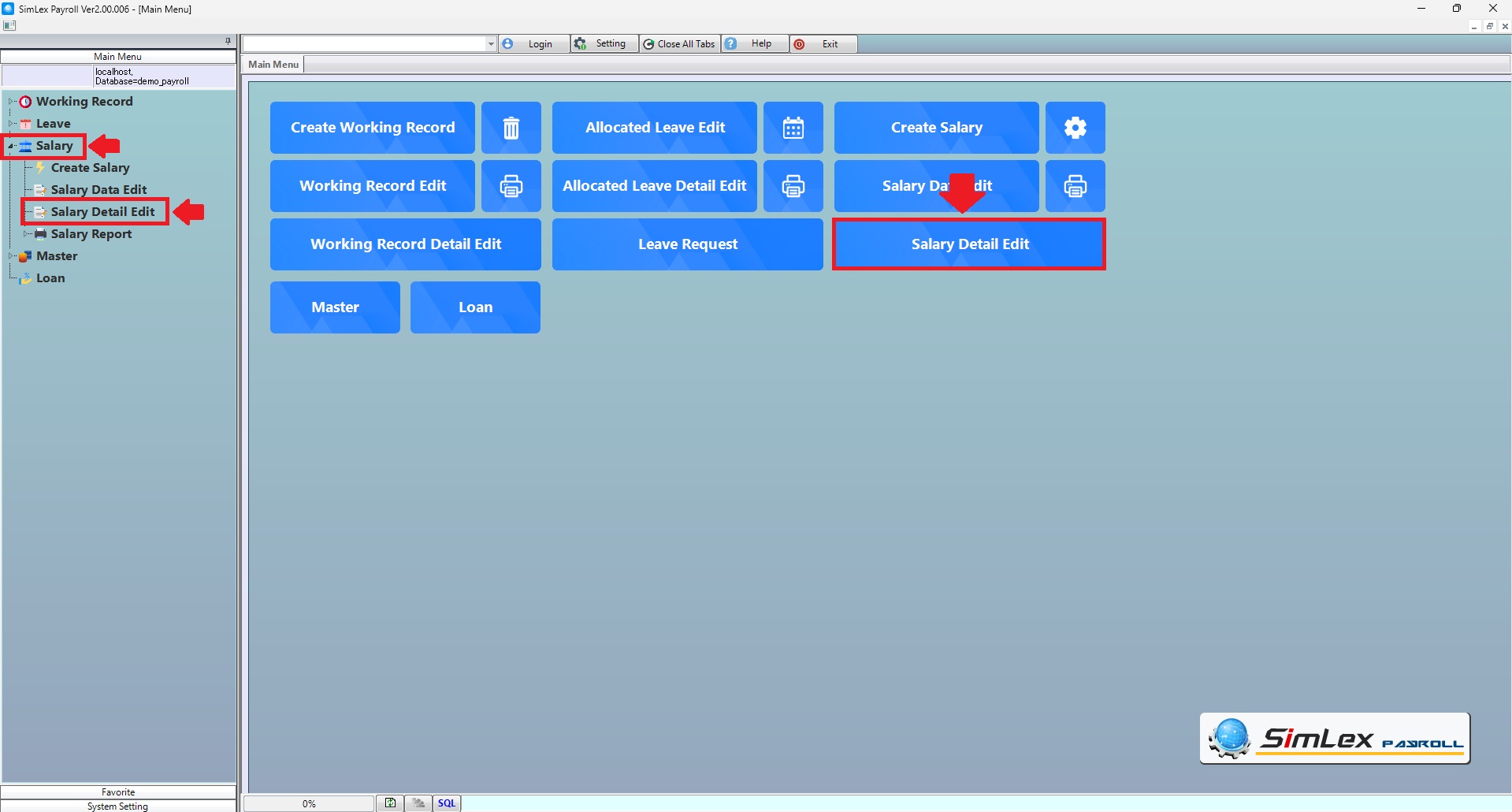
Picture 1 Click Menu Salary Detail Edit.
2. The system displays additional details for editing data. Select the Sheet you want to edit. When finished editing information, click <Register>.
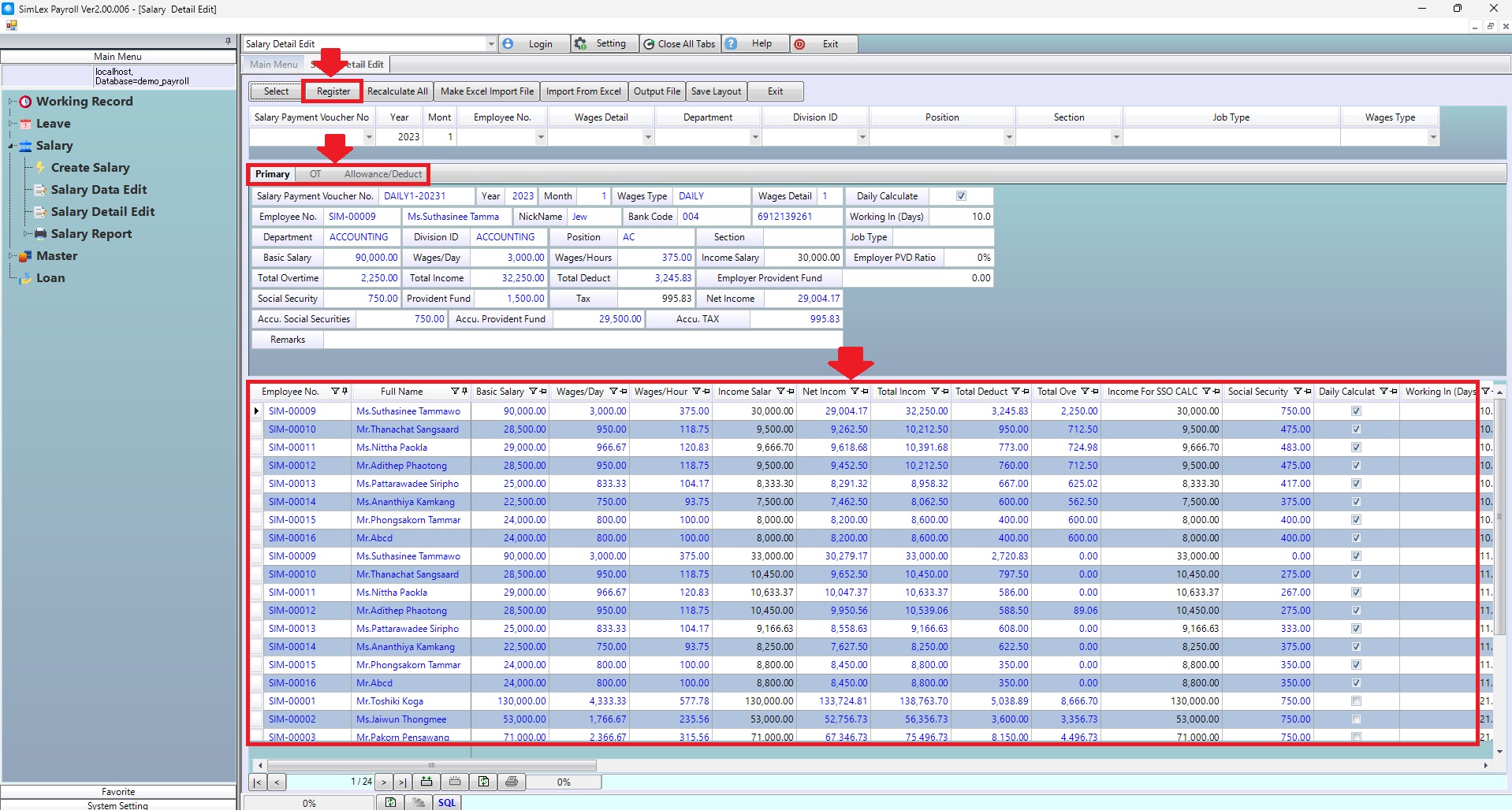
Picture 2 The system displays the information.
3. If you want the system to recalculate the values again, click <Recalculate All> when finished. Click <Register>.
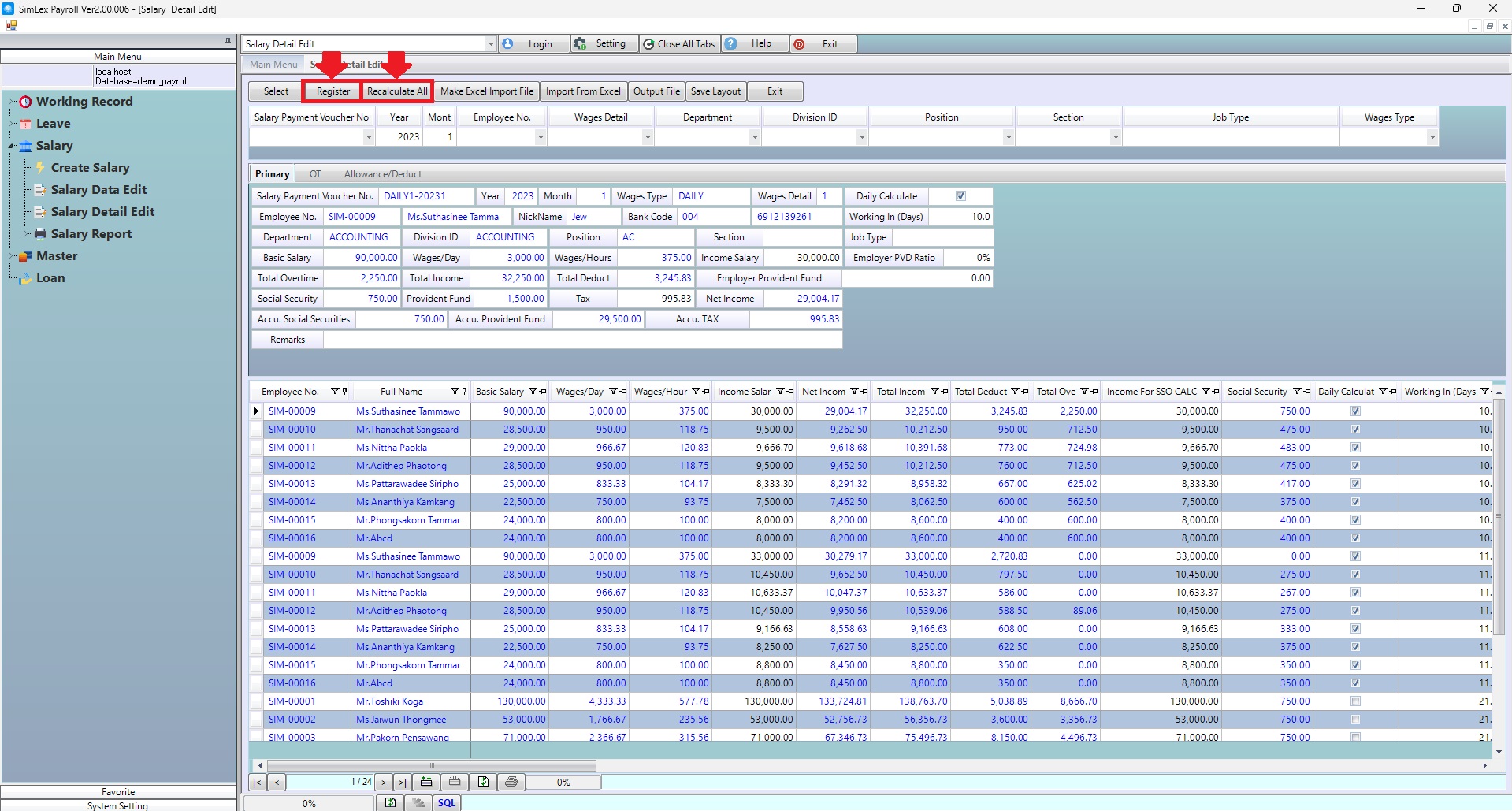
Picture 3 Recalculate All.
In case you want to create a data file to import data You can click <Make Excel Import File> When the information is prepared To import data, click <Import From Excel>.
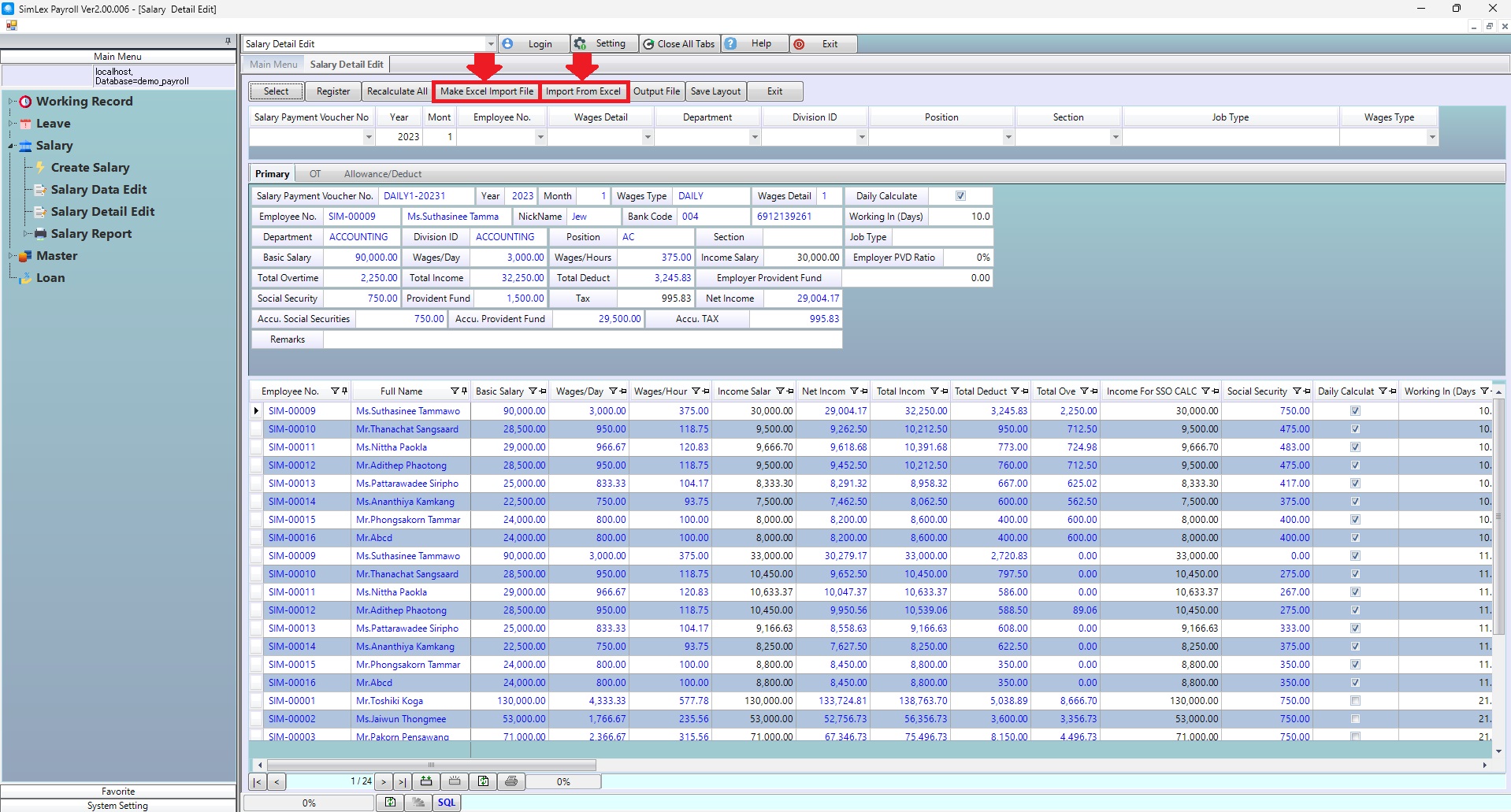
Picture 4 Import from excel.
| Field name main menu | Information detail |
| Salary Payment Voucher No | Select salary payment voucher no. |
| Year | The system auto displays the information. |
| Month | The system auto displays the information. |
| Employee No. | Select employee no. |
| Wages Detail | Select wages detail. |
| Department | Select department. |
| Division ID | Select division id. |
| Position | Select position. |
| Section | Select section. |
| Job Type | Enter Job type. |
| Wages Type | Select wages detail. |