SSO Output
When wanting to submit employee social security information each month, Can use data files from the system to upload and submit social security online data can be removed from the system by the following methods.
1. Click<Icon Printer> from the main menu or double click from the left menu <Salary>, then double click on the menu <Salary Report>. The system will display 7 submenus, then click <SSO Output>.
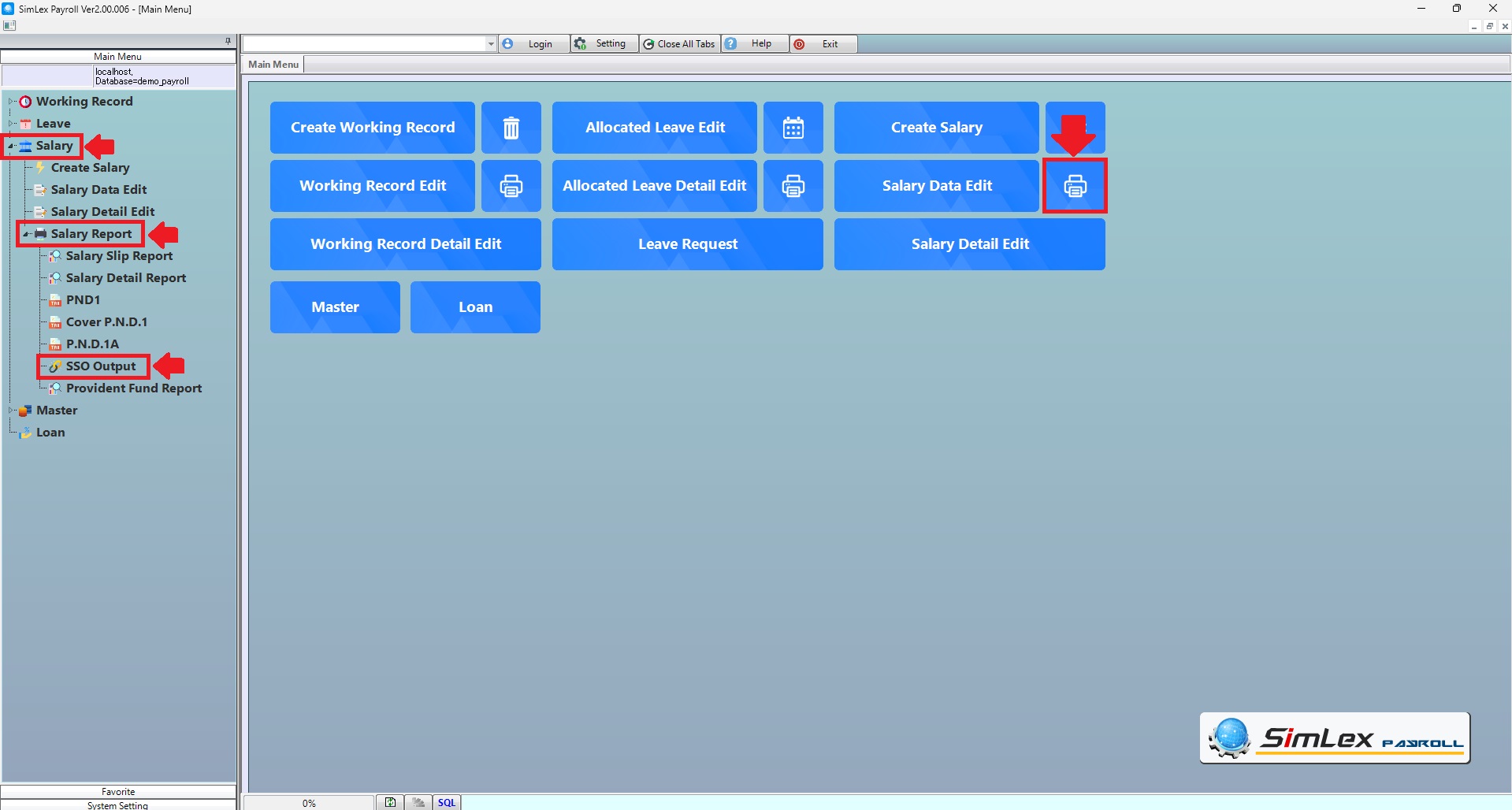
Picture 1 Click Menu SSO Output.
2. Fill in the information you want to search. Then click <Select> to display information or click <Output SSO>.when finished, select the storage address.
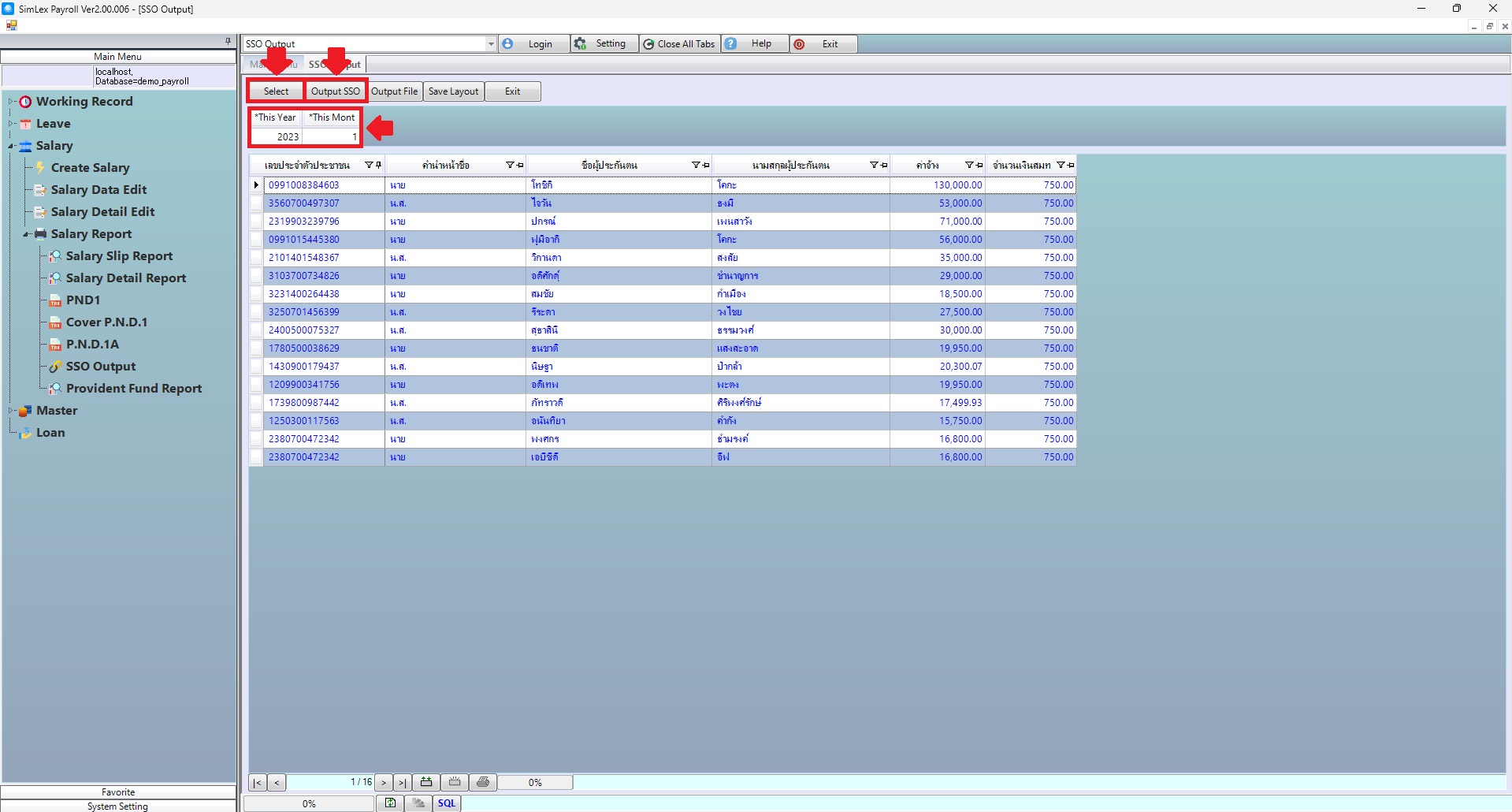
Picture 2 Create file SSO.
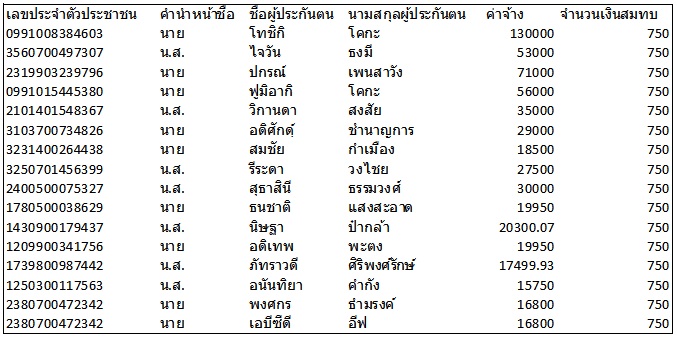
Picture 3 Detail file SSO.
| Field name main menu | Information detail |
| This Year | The system auto displays the information. |
| This Month | The system auto displays the information. |