Cover PND.1
When you want to see details or print a cover PND.1 to submit to the Revenue Department in paper form, You can choose to view reports as follows.
1. Click <Icon Printer> from the main menu or double click from the left menu <Salary>, then double click on the menu<Salary Report>. The system will display 7 submenus, then click <Cover PND.1>.
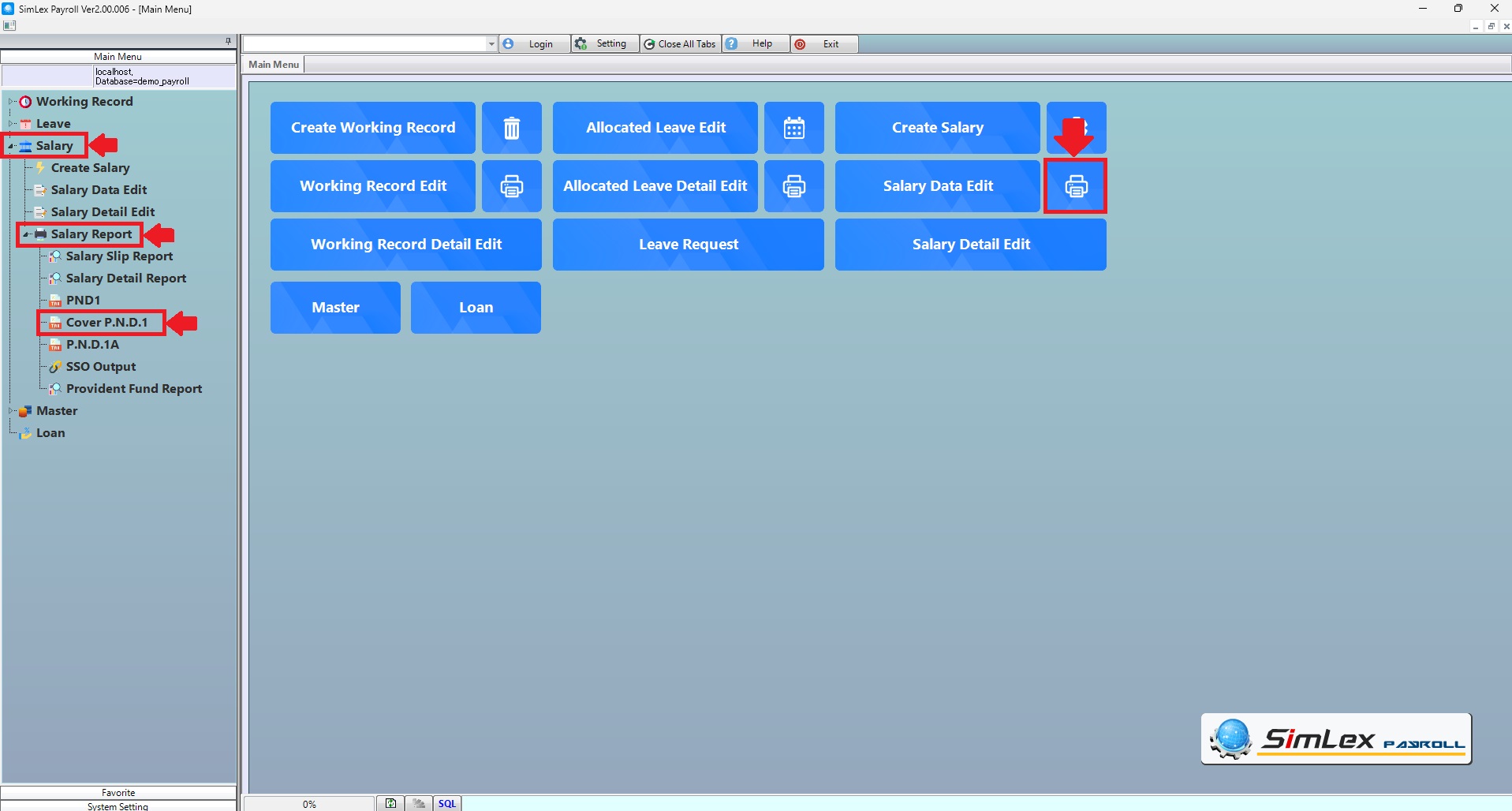
Picture 1 Click Menu Cover PND.1.
2. Fill in the information you want to search. Then click <Data Display> to display information or click <Output Data(O)> to print cover PND.1.
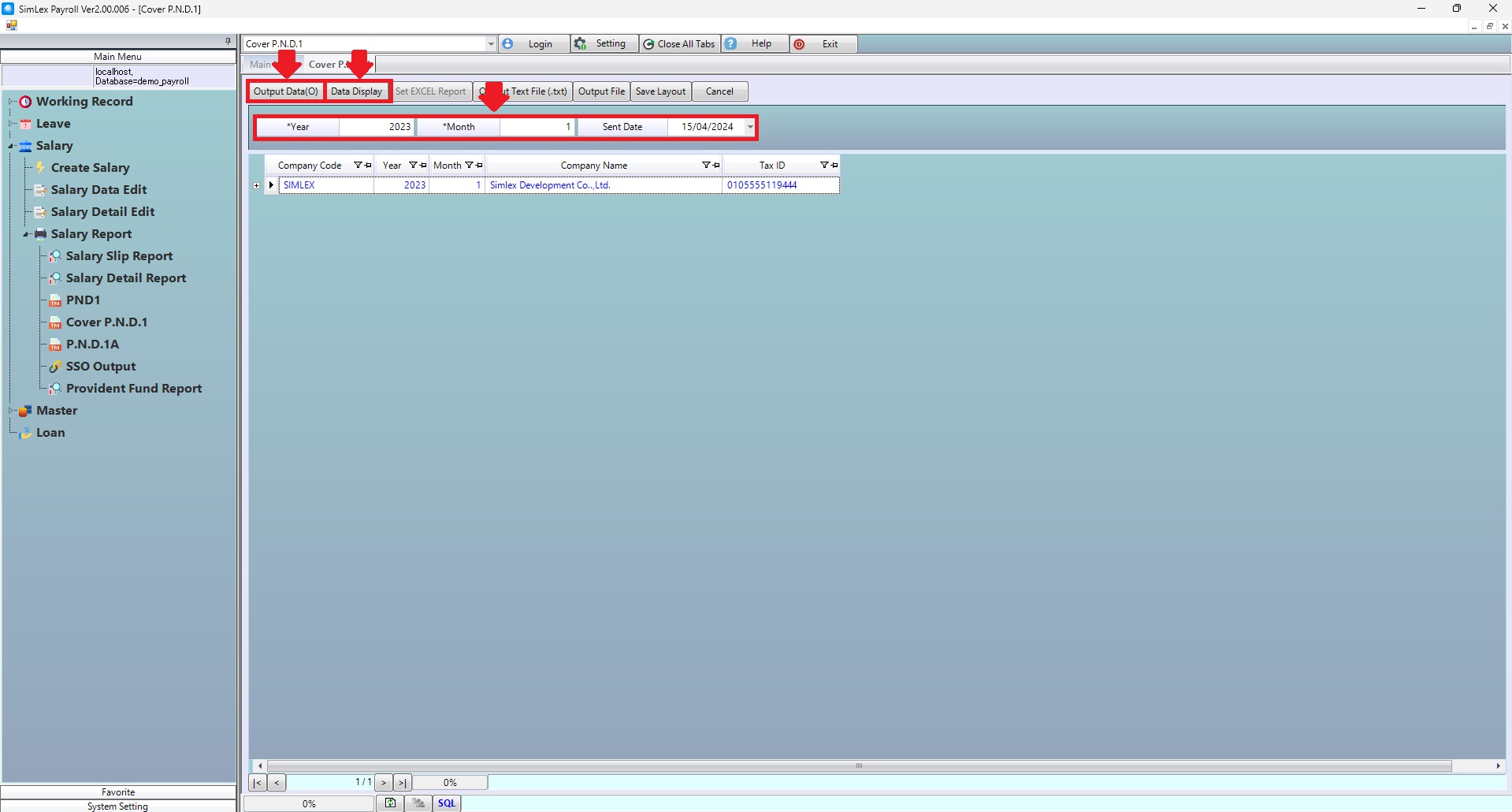
Picture 2 Print form PND.1.
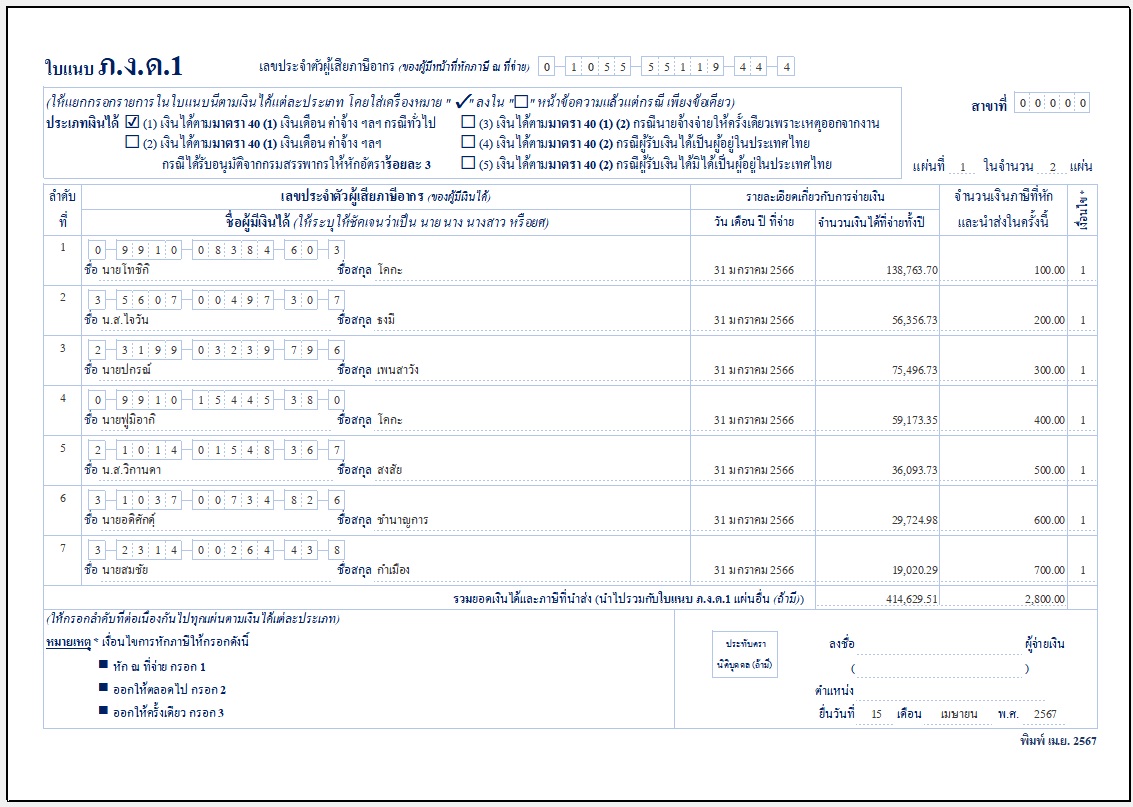
Picture 3 Cover PND.1 report.
Output Text File (.txt)
when filing taxes online. The system can create files to take to the next step in tax filing. The method is as follows.
1. Enter the year, month, and date of tax filing, then click<Display Data> to display the information, then click <Output text file (.txt)>.
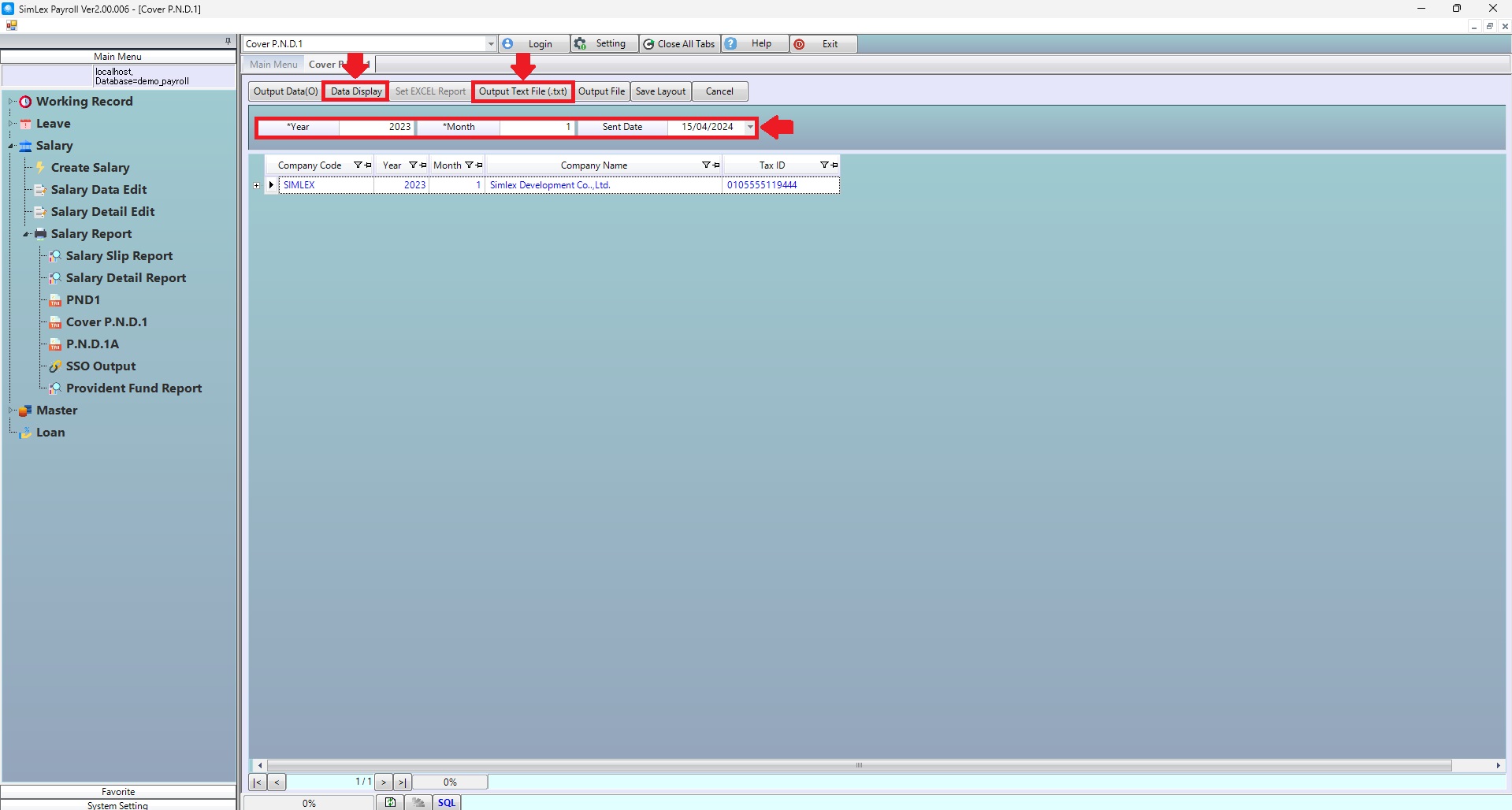
Picture 4 Output text file (.txt).
2. Select the address where you want to save information, to save information.
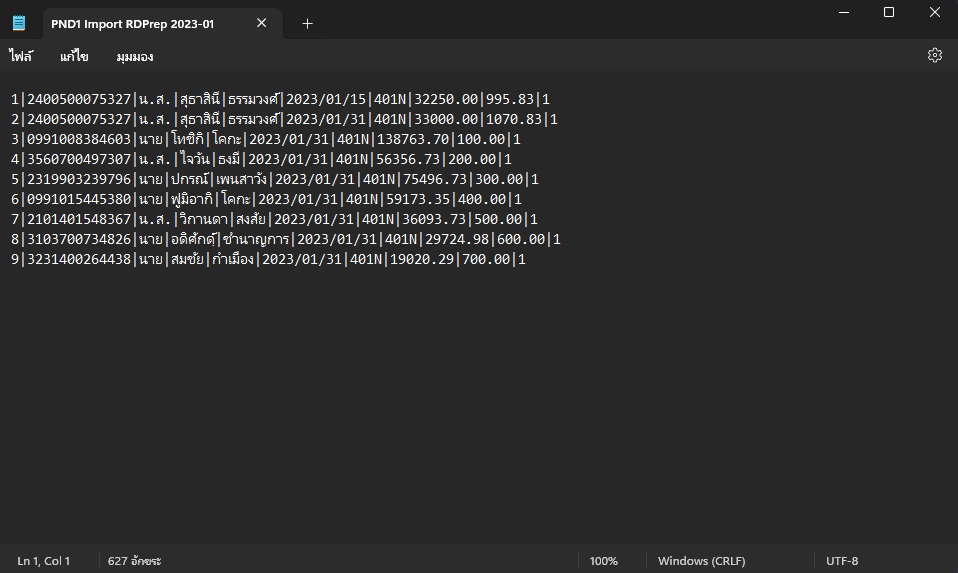
Picture 5 Detail Output text file (.txt).
| Field name main menu | Information detail |
| Year | The system auto displays the information. |
| Month | The system auto displays the information. |
| Sent Date | Select sent date for cover PND.1 |